RSS ke 66 rangkaian sosial: Facebook, Instagram, X, LinkedIn, Telegram dan banyak lagi Blog Afiliasi Hubungi Kami
Short answer: You can keep an RSS feed fresh from Apache Kafka by publishing a small event whenever an article is published, running a consumer that rebuilds the feed file from the current database state, committing the offset only after the file is safely written, and keeping a slow timer as a safety net. The feed stays an ordinary RSS or Atom address, so PostRSS can read it and publish every new item to your social networks without knowing anything about Kafka.
Many publishing systems already live inside an event-driven architecture. Orders, comments, price changes and published articles flow through Kafka topics, and several services react to them: search indexing, cache purging, notifications, analytics. An RSS feed is just one more consumer, and it fits well. The feed does not need to be rebuilt every minute by a timer when the system can say exactly when something changed. This guide shows how to design the event, write a reliable consumer, make the rebuild safe to repeat, handle failures and connect the finished address to an auto-poster. It focuses on the decisions that matter in production, not on a toy example.
Be honest about the need first. A cron job that rebuilds a feed every few minutes is simpler, cheaper and enough for most sites. Kafka starts to make sense when your organization already runs it, when several teams publish content from different services, or when you want the feed to react within seconds and the rebuild is costly enough that you do not want to run it needlessly. In those cases, a consumer that listens for a publish event is a clean, loosely coupled solution.
If you do not run Kafka today, do not introduce it only for an RSS feed. A managed queue, a database trigger or a plain scheduled job gives you the same result with far less to operate. The ideas below, a small event, an idempotent rebuild and a safety net, apply to any of them.
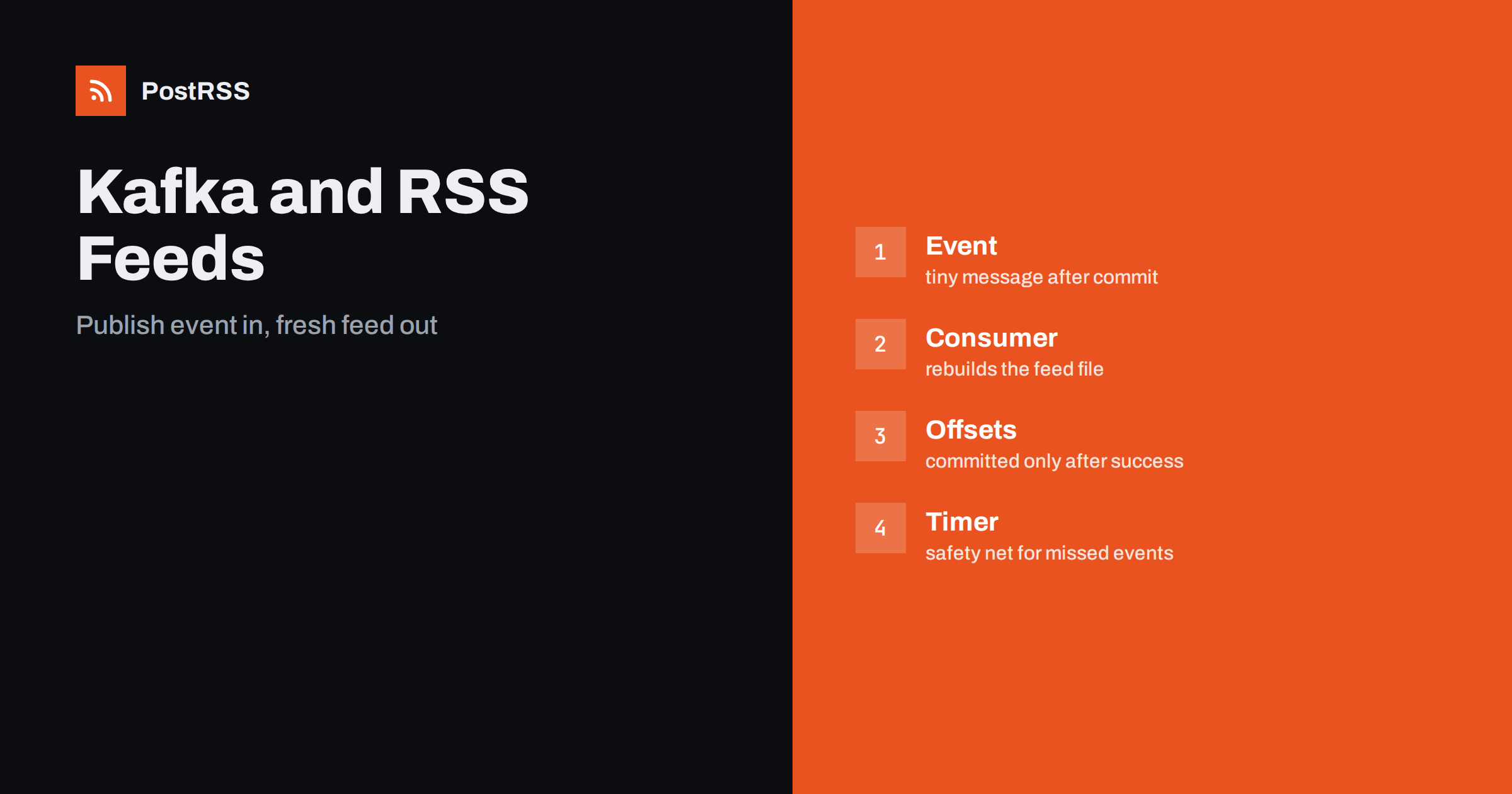
The flow has four parts. The content system writes the article to its database and, after the commit succeeds, produces a small event to a topic such as articles.published. A dedicated consumer group named for the feed reads the topic. For each event, or for a batch of events, it queries the database for the newest articles and writes a fresh feed file. A web server or object storage serves that file at a stable address, and an auto-posting service polls the address and publishes new items.
Two points deserve emphasis. First, the event is a signal, not the data. The consumer should always read the truth from the database, because the message can be late, duplicated or out of order. Second, the feed file is a derived artifact that you can rebuild at any time, which means you never need to treat a failure as a disaster.
Keep the message tiny. It needs an identifier, a type and a timestamp, and nothing else. A JSON value such as the following is enough:
{
  "type": "article.published",
  "article_id": 18342,
  "occurred_at": "2026-11-11T07:40:12Z"
}
Use the article identifier as the message key. All events for the same article then land in the same partition and stay in order, which matters if an article is published, edited and unpublished in quick succession. A topic with a handful of partitions is plenty for a content site, because the volume is low. Give the topic a sensible retention period, for example several days, so that a consumer that was offline over a weekend can still catch up from the log.
The classic mistake is to publish the event before the database transaction commits. The consumer then rebuilds the feed, finds nothing new and the article is missed until the next event. Produce the message only after the commit, or better, use an outbox table: write the event into a table in the same transaction as the article, and let a small relay process move rows from that table to Kafka. This guarantees that no article is saved without an event and no event exists without an article.
A direct producer is fine for simple systems. With the Python confluent-kafka client it looks like this:
from confluent_kafka import Producer
import json, datetime

producer = Producer({"bootstrap.servers": "kafka:9092", "acks": "all"})

def announce(article_id):
    event = {
        "type": "article.published",
        "article_id": article_id,
        "occurred_at": datetime.datetime.utcnow().isoformat() + "Z",
    }
    producer.produce("articles.published", key=str(article_id),
                     value=json.dumps(event))
    producer.flush(5)
Setting acks to all makes the broker confirm that the message is replicated before the call succeeds. For a low-volume topic the cost is negligible, and it removes a whole class of lost-message surprises.
The consumer has one important rule: commit the offset only after the feed file has been written successfully. If the process crashes between reading the message and writing the file, Kafka delivers the message again on restart. That is the at-least-once guarantee, and it is exactly what you want here, as long as processing is safe to repeat.
from confluent_kafka import Consumer

consumer = Consumer({
    "bootstrap.servers": "kafka:9092",
    "group.id": "rss-feed-builder",
    "enable.auto.commit": False,
    "auto.offset.reset": "earliest",
})
consumer.subscribe(["articles.published"])

while True:
    msg = consumer.poll(5.0)
    if msg is None:
        continue
    if msg.error():
        log_error(msg.error())
        continue
    rebuild_feed()
    consumer.commit(message=msg, asynchronous=False)
Disabling automatic commits is the key line. With automatic commits the client may record progress before your code has finished, and a crash would silently skip an event. Setting the offset reset to earliest means a brand-new consumer group starts from the beginning of the retained log and builds the feed at least once.
Because events can repeat, the rebuild must produce the same result no matter how many times it runs. The simplest way is to ignore the content of the message entirely. Query the database for the newest twenty or thirty published articles, render the whole feed and replace the file. Running that function once or five times gives the same feed. It also means that ten events arriving in a burst cause ten identical rebuilds, which is wasteful but harmless.
If the burst matters, add a small debounce. After the first event, wait a second or two, drain any further messages that are already available, then rebuild once and commit the last offset. This reduces work during bulk imports, when an editor publishes dozens of articles in a few minutes, without changing correctness.
A feed reader that fetches the file while it is half written sees broken XML and may treat the feed as invalid. Always write to a temporary file in the same directory and then rename it over the final name. A rename on the same filesystem is atomic, so a reader sees either the old complete file or the new complete file, never a mixture.
import os, tempfile

def write_atomic(path, xml):
    directory = os.path.dirname(path)
    fd, tmp = tempfile.mkstemp(dir=directory, suffix=".tmp")
    with os.fdopen(fd, "w", encoding="utf-8") as handle:
        handle.write(xml)
    os.chmod(tmp, 0o644)
    os.replace(tmp, path)
If the feed lives in object storage instead of on a local disk, the same principle applies: upload the whole object in one request, which the storage service replaces atomically.
Not every failure is temporary. A temporary failure, such as a database timeout, should be retried after a short pause without committing. A permanent failure, such as a malformed message that can never be parsed, must not block the partition forever. Because the rebuild ignores the message body, malformed messages are rarely a problem, but a bug in your rendering code could throw on one specific article.
Protect yourself in two ways. Wrap the rendering of each item so that one broken article is skipped and logged instead of failing the whole feed. And send events that fail repeatedly to a separate dead-letter topic, together with the error, so that a person can look at them later while the consumer keeps moving. Alert on the size of that topic, because a growing dead-letter queue means something is wrong.
Events can be missed. A deployment may reset offsets, a topic may be recreated, a producer may fail after the commit. Do not rely on events alone. Run a slow timer, for example every thirty minutes, that calls the same rebuild function. It costs almost nothing, because the rebuild is idempotent, and it guarantees that the feed catches up even if every event is lost. Think of events as the fast path and the timer as the guarantee.
Two numbers tell you whether the pipeline is healthy. The first is consumer lag, the difference between the newest offset in the topic and the offset your group has committed. A lag that grows means the consumer is stuck or too slow. The second is the age of the feed: the time since the file was last written, and the age of the newest item inside it. Publish both as metrics and alert when the feed is older than your tolerance, for example fifteen minutes on a site that publishes several times a day.
The age of the newest item is also useful for a different reason. If the newest item is days old although editors are publishing, the problem is probably in the query or the filter, not in Kafka. A synthetic check that fetches the public feed address, parses it and compares the newest date with the database catches that kind of silent failure.
One benefit of the event approach is that the stream serves more than the feed. A second consumer group can purge a CDN cache for the article page, a third can update a search index and a fourth can send a newsletter. Each group keeps its own offset, so a slow consumer never delays the others. When you add the feed builder to an existing topic, give it its own group identifier and it starts receiving every event without any change to the producers.
Treat the topic as an internal interface. Use authentication and encryption between your services and the brokers, grant the feed builder read access to the topic and nothing more, and keep the database credentials of the consumer read-only. The public part of the system is only the feed file. Never put private content, such as drafts or internal notes, into the event or into the query that feeds the file. Filter on the published status in the query itself, so that an unpublished article can never leak into a public feed even if a stale event arrives.
Test the whole chain with a staging article. Publish it, watch the event appear in the topic, confirm that the consumer logs a rebuild, fetch the public address and check that the item is present. Then stop the consumer, publish two more articles, start it again and verify that it catches up from the log. Finally, validate the feed with a standard feed validator and confirm that the title, link, publication date and image of the new item are correct. This takes fifteen minutes and finds almost every integration mistake.
PostRSS does not care how the file is produced. It checks any valid RSS or Atom address that can be reached without a login and publishes each new item, with its image and link, to the networks you choose. You paste the feed address, connect your accounts and decide how each message is built from the item title and description. On the features page you can see the full list of networks, the keyword filters and the other options, and the pricing page shows which plan fits the number of targets you need. Because your Kafka consumer refreshes the file within seconds of publication, the auto-poster has something new to publish at its next check, and your audience sees the article soon after it goes live.
Kafka can keep an RSS feed fresh without any polling by your own code. Send a tiny event after each publication, read the truth from the database in the consumer, make the rebuild idempotent, write the file atomically, commit offsets only after success, route repeated failures to a dead-letter topic and keep a slow timer as a safety net. Monitor lag and feed age. Then connect the finished address to an auto-poster, so every new article reaches your audience on social networks quickly and reliably.
No. A scheduled job is enough for most sites. Kafka is worth using only when your organization already runs it or when several services react to the same publication events.
Very little: the article identifier, the event type and a timestamp. The consumer reads the current state from the database instead of trusting the message body.
Nothing harmful, provided the rebuild is idempotent. It reads the newest articles, writes the whole feed and replaces the file, so a repeated event produces the same result.
Events can be missed during outages, deployments or offset resets. A slow timer calls the same rebuild and guarantees that the feed catches up even when events are lost.
Yes. PostRSS reads any valid RSS or Atom address that is reachable without a login, no matter which system generates the file behind it.
What changed in the networks, what broke, and how to fix it before it costs you reach.
Dibina oleh Internet Solutions, pasukan di sebalik PostRSS. Setiap produk menjimatkan masa anda dengan cara tersendiri.
 English
 Lietuviškai
 Deutsch
 Français
 Русский
 Español
 Polski
 Italiano
 Українська
 Čeština
 Português
 日本語
 Latviešu valoda
 Eesti
 Magyar
 Bahasa Indonesia
 Türkçe
 हिन्दी
 Ελληνικά
 العربية
 ไทย
 Tiếng Việt
 Română
 Bahasa Melayu
 বাংলা