RSS uz 66 sociālajiem tīkliem: Facebook, Instagram, X, LinkedIn, Telegram un citiem Blogs Partner programma Kontakti
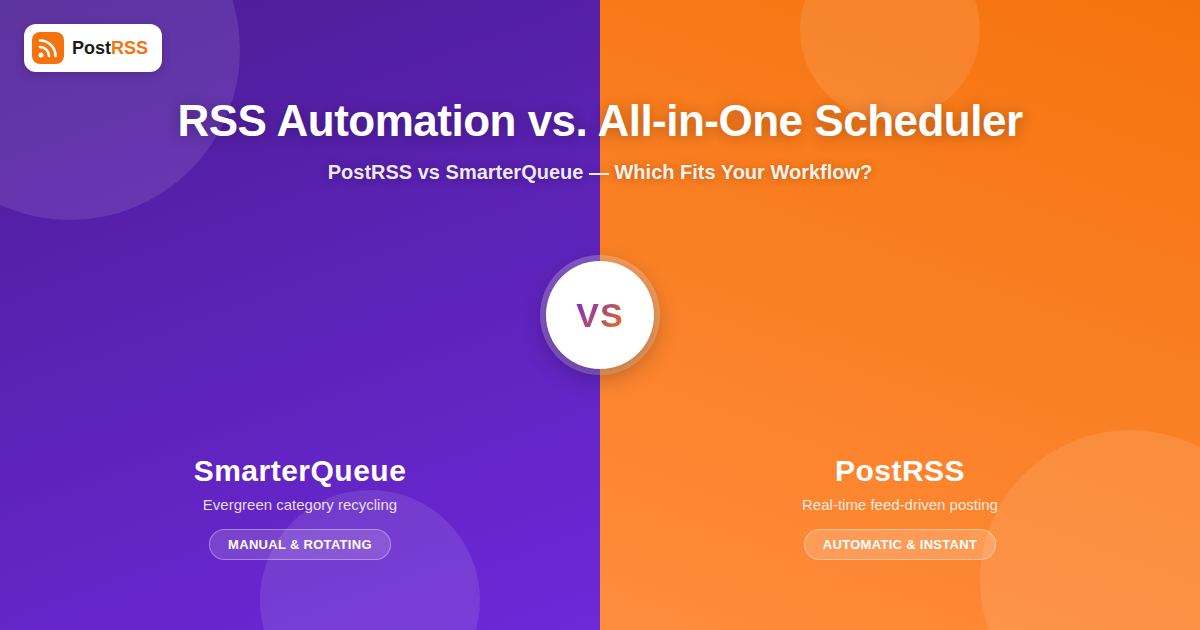
Anyone shopping for social media automation tools eventually runs into a fork in the road that isn’t obvious from the marketing pages: some tools are built around a content library you fill once and recycle indefinitely, and others are built around a live feed that keeps producing new material for you to distribute the moment it exists. SmarterQueue is a well-known example of the first kind — a general-purpose scheduler organized around categories, an evergreen recycling queue, and manual post composition. PostRSS is built around the second model entirely: it watches your RSS or Atom feed and posts new items to your connected social accounts automatically, close to the moment they’re published, with no queue to refill and no post to write by hand. If you’re comparing the two, the real question isn’t which tool has more features — it’s which workflow actually matches how your content gets made, a distinction covered in more depth on PostRSS’s social media automation tool comparisons hub for anyone weighing several options at once.
Every social scheduling tool makes an implicit bet about where your content comes from, and that bet shapes everything else about how the product works. SmarterQueue’s bet is that you have a finite, relatively stable pool of good posts — quotes, tips, evergreen blog links, product highlights — and that the job of the tool is to keep that pool circulating through your social feeds on a rotation so your audience sees a steady drip of content without you manually scheduling each post over and over. That’s a completely reasonable bet for a business that doesn’t publish something new every day: a consultant with a handful of core service pages, a local business with a small set of recurring promotions, a brand that produces long-form content infrequently but wants social presence to look active in between.
PostRSS’s bet is the opposite: that you already have a source of genuinely new content on a regular basis — a blog, a news site, a podcast feed, a YouTube channel, an e-commerce product feed — and that the bottleneck isn’t finding things to post, it’s remembering to post them and doing it fast enough that the content is still timely when it reaches your audience. Instead of a library you refill and rotate, PostRSS treats your RSS feed as the single source of truth: something new shows up in the feed, PostRSS picks it up and pushes it out to Facebook, X, LinkedIn, Pinterest, Instagram, and other connected networks automatically, without anyone opening a dashboard to compose or approve the post. By default each item gets posted once, close to when it was published, because freshness is the point — and when you want evergreen articles to go out again, PostRSS can republish them from the same feed on a schedule you choose.
SmarterQueue’s signature feature is its category system: you group posts into categories (say, “tips,” “testimonials,” “blog links,” “promotions”), set a posting ratio or rotation across those categories, and the tool keeps cycling through them so your queue never runs dry even if you haven’t added anything new in weeks. This is genuinely useful for what it’s designed for — it prevents the awkward silence of an inactive social account and it lets a small content library punch well above its actual size, since the same strong post can resurface months later to an audience that largely didn’t see it the first time. The tradeoff is that the system has no inherent concept of “new” versus “old” content; a post from eight months ago and a post from yesterday can sit in the same rotation with the same priority unless you manually manage it.
PostRSS’s default mode isn’t a rotation, because it starts from a different problem. There’s no category system to configure and no ratio to tune — the core mechanism is: new feed item appears, it gets formatted and posted, and then it’s done. This is the right model when the value of a post is tied to its recency — a news article, a product restock, a blog post the author wants readers to see while it’s current, a job listing, an event announcement. Posting that kind of content on a delay, or worse, re-posting it in an endless rotation months after the fact, doesn’t just look sloppy, it can actively mislead an audience who assumes what they’re seeing is current. The two models aren’t really competing to do the same job better; they’re solving for different definitions of what a social post is supposed to represent.
SmarterQueue is, first and foremost, a composition and calendar tool. You write (or paste) posts into the interface, assign them to categories, place them on a calendar, and the software’s automation kicks in after that point to handle timing and repetition. It also supports RSS feed import as one input method among several — alongside manual entry, bulk CSV upload, and content curation tools — but the RSS integration functions as a way to seed the queue with draft posts you still review and organize into categories, not as a direct, always-on publishing pipeline. That’s consistent with the tool’s overall philosophy: SmarterQueue assumes a human is going to be involved in most posts at some point, whether that’s writing them from scratch or curating what gets pulled in.
PostRSS removes that human-in-the-loop step by design for the specific job it’s built for. You connect a feed once, connect your social accounts once, and from that point forward new content flows through without anyone touching a compose box. There’s no calendar to fill in manually because the calendar is effectively your publishing schedule — whenever you publish something new, that’s when it gets pushed to social. For a solo blogger, a small newsroom, or a business that publishes frequently and doesn’t have a dedicated social media manager, this difference is the entire value proposition: it’s not about scheduling better, it’s about not needing to schedule at all for the specific job of “get new content in front of my social audience.”
SmarterQueue tends to work best for teams and individuals whose social presence needs to stay active independent of how often they’re producing brand-new material — coaches, consultants, niche e-commerce brands with a stable catalog, community accounts that want to keep engagement-driving evergreen content in front of followers on a rotation. If your bottleneck is “we don’t have enough content to post every day,” a recycling queue solves that directly by getting more mileage out of what you already have, and the manual composition tools give you full control over tone, hashtags, and format for each post since a human is writing or curating everything that goes out.
PostRSS is built for the opposite bottleneck: publishers, bloggers, news sites, podcasters, and businesses that already produce new content regularly and need distribution to keep pace without becoming a manual chore. If you’re publishing three blog posts a week, dropping a new episode every few days, or updating a product feed constantly, the problem isn’t a lack of content to circulate — it’s making sure every one of those new items actually reaches your social audience promptly instead of relying on someone to remember to log in and share it. That’s also where a feed-first tool tends to outperform a general scheduler on timeliness: because the trigger is the feed item itself rather than a person’s availability to compose a post, there’s no gap between “this went live” and “this is on social” beyond the automation’s own polling interval.
| Capability | PostRSS | SmarterQueue |
|---|---|---|
| Real-time RSS-driven auto-posting | Core feature | Not the focus |
| Evergreen content recycling / rotating queue | Yes — republishing of evergreen articles from your feed | Core feature |
| Manual post composition | Not the focus | Core feature |
| Category-based content organization | Not the focus | Core feature |
| Content calendar for planning ahead | Not the focus | Core feature |
| Works without a human composing each post | Yes | No — posts are written or curated by hand |
| Best fit for frequent publishers (blogs, news, podcasts, feeds) | Yes | Possible, but not the primary design goal |
| Best fit for a small, stable content library posted indefinitely | Partly — republishes evergreen articles from your feed, without categories | Yes |
| Setup model | Connect feed + accounts once, then hands-off | Ongoing composition, categorization, and queue management |
| Networks reachable from one feed | 66 networks incl. Fediverse, Asian and team-chat platforms | Varies by plan — check their current list |
It’s worth being honest that neither model is strictly better in the abstract — they answer different questions, and there’s a real segment of users who could plausibly use either tool depending on how they frame the problem. A business that publishes new blog content occasionally but also wants a baseline of social activity in between posts is arguably underserved by either tool in isolation: pure feed automation goes quiet whenever there’s no new content, and a pure recycling queue can feel repetitive if it’s the only thing running. In practice, some teams run both approaches side by side — a recycling tool or manual calendar handling evergreen posts and general audience engagement, and a feed-driven tool handling the “this is new, get it out now” job specifically for content that loses value if it sits unposted. That combination plays to each tool’s actual strength instead of asking one tool to do a job it wasn’t designed around.
Where the split matters most is at the extremes. If your business genuinely doesn’t publish new content very often — weeks can go by without anything new — a recycling queue like SmarterQueue’s is doing real work; PostRSS can cover part of it by republishing evergreen articles from your feed, but SmarterQueue’s categories and ratios go further. And if your business is the opposite — new content constantly, timeliness genuinely mattering, and the real risk being that something goes live and nobody shares it — a rotation-based tool is solving a problem you don’t have while leaving the actual problem (getting new items out fast, reliably, without manual work) unaddressed. Understanding which side of that line your business sits on is most of the decision.
If reading through the comparison above makes it clear your content already exists as a steady stream of new items — a blog, a changelog, a podcast RSS feed, a product feed, a jobs board — the setup for feed-driven automation is intentionally minimal compared to configuring categories and rotation ratios. You point the tool at your feed URL, connect the social accounts you want new items posted to, optionally set formatting preferences (how titles, images, and links appear per platform), and the automation takes over from there. There’s no ongoing maintenance beyond occasionally checking that the feed itself is well-formed and that new posts are showing up correctly — a very different day-to-day time commitment than maintaining a categorized content library and rotation schedule, which needs periodic refreshing so the same handful of posts don’t visibly go stale to repeat followers.
The tradeoff worth planning for is that a feed-first tool will only ever be as active as your actual publishing cadence — if you go quiet for a month, your social accounts go quiet too, unless you turn on republishing in PostRSS so evergreen articles from your feed fill the gap. Teams moving from a recycling-queue mindset to a feed-first one sometimes find this adjustment period uncomfortable at first, because they’re used to a dashboard that always shows something scheduled even when nothing new has happened. The upside is that everything posted is genuinely current, which tends to produce better engagement on time-sensitive platforms and avoids the slightly stale feeling that heavy evergreen rotation can create for a brand’s most attentive followers, the ones who notice when the same post resurfaces for the third time.
Not exactly — they’re built around different jobs. PostRSS replaces the manual step of noticing new content and sharing it, while SmarterQueue replaces the manual step of repeatedly re-sharing a content library. If your primary need is getting new content distributed automatically the moment it’s published, PostRSS covers that directly; if your primary need is keeping a smaller evergreen library circulating, SmarterQueue is doing a different job.
Yes. PostRSS can republish evergreen articles: set the source’s publishing order to random with repeats and choose posting windows or exact times, and older articles from your feed go out again on that schedule, next to new ones. SmarterQueue’s categories and posting ratios are more detailed if a fixed content library is your main requirement.
SmarterQueue does support pulling in RSS feeds as one of several ways to add content to your queue, but it functions as an input source you review and categorize rather than a direct, always-on auto-posting pipeline. The content still generally moves through the same category and rotation system as manually composed posts.
A weekly publishing cadence is a reasonable fit for either tool depending on what else you need, but if the priority is making sure every new post reaches social automatically and promptly without manual work, that’s specifically what PostRSS is built for. SmarterQueue could also handle it through manual entry or its RSS import feature, but you’d be curating and categorizing each post rather than having it flow through automatically.
No — most RSS-to-social tools, PostRSS included, are designed around pointing the tool at a feed URL (usually your website’s existing RSS feed, which most blogging and CMS platforms generate automatically) and connecting social accounts through standard OAuth login flows. No coding or feed-format knowledge is generally required.
Yes, and it’s a reasonable setup for businesses with both a steady stream of new content and a desire for baseline evergreen activity in between. Running a feed-driven tool for new content and a separate recycling-based scheduler for evergreen posts lets each tool focus on the job it’s actually designed for instead of stretching one tool to cover both needs.
Ask how often you publish genuinely new content and whether timeliness matters to that content. If you publish frequently and being current matters — news, blog posts, product updates — real-time feed automation is the better fit; if new content is rare and the goal is simply keeping social accounts active, evergreen recycling does that job better.
SmarterQueue and PostRSS aren’t really competing for the same job — one is built to keep a content library circulating indefinitely through categorized rotation and manual composition, the other is built to take content that’s already new and get it distributed automatically, close to the moment it exists, without anyone touching a compose box. If your business regularly publishes fresh content and the real problem is remembering to share it fast and consistently rather than running out of things to post, that’s the specific gap PostRSS is designed to close — connect your feed once, connect your accounts once, and let every new post reach your audience automatically from there on. For anyone still weighing options more broadly, PostRSS’s collection of social media scheduling comparisons is a reasonable next stop before committing to either workflow.
What changed in the networks, what broke, and how to fix it before it costs you reach.
Izstrādājusi Internet Solutions — PostRSS komanda. Katrs produkts ietaupa laiku savā veidā.
 English
 Lietuviškai
 Deutsch
 Français
 Русский
 Español
 Polski
 Italiano
 Українська
 Čeština
 Português
 日本語
日本語 Latviešu valoda
 Eesti
Eesti Magyar
 Bahasa Indonesia
 Türkçe
 हिन्दी
 Ελληνικά
 العربية
 ไทย
ไทย Tiếng Việt
 Română
 Bahasa Melayu
 বাংলা
বাংলা