
Updated: September 23, 2026
If you’ve spent any time digging through WordPress security recommendations, you’ve probably seen advice to disable XML-RPC, often bundled with a warning about pingback abuse. If you’ve also spent time thinking about RSS feed automation, you might reasonably wonder whether that same XML-RPC interface has anything to do with how quickly your new posts get picked up and auto-posted to social media. It’s a fair question, and the honest answer surprises a lot of site owners: no, it doesn’t, and understanding why clears up a genuinely common point of confusion.
This guide explains what XML-RPC pingbacks actually do, why they’re unrelated to RSS-based auto-posting speed, and what you should actually do about XML-RPC on a WordPress site that uses PostRSS or similar automation.
What XML-RPC Pingbacks Actually Are
XML-RPC is a remote procedure call protocol that WordPress has supported since long before REST APIs became the standard way for external tools to talk to a WordPress site. One of its oldest use cases is the pingback system: when Site A links to a post on Site B, WordPress can automatically notify Site B that the link exists, and Site B’s WordPress installation can then display “someone linked to this post” in that post’s comments, assuming pingbacks are enabled on both ends.
A closely related but distinct mechanism is weblogUpdates.extendedPing, historically used to notify update-tracking services like Ping-O-Matic that a blog had just published something new, so that aggregators and search crawlers could discover the update faster than they would by revisiting the site on their own schedule. Both of these are old mechanisms, dating back to an era before modern WordPress REST APIs and before the podcast-and-blog ecosystem had reliable push-based alternatives like WebSub.
Why Pingbacks Don’t Affect RSS Auto-Posting Speed
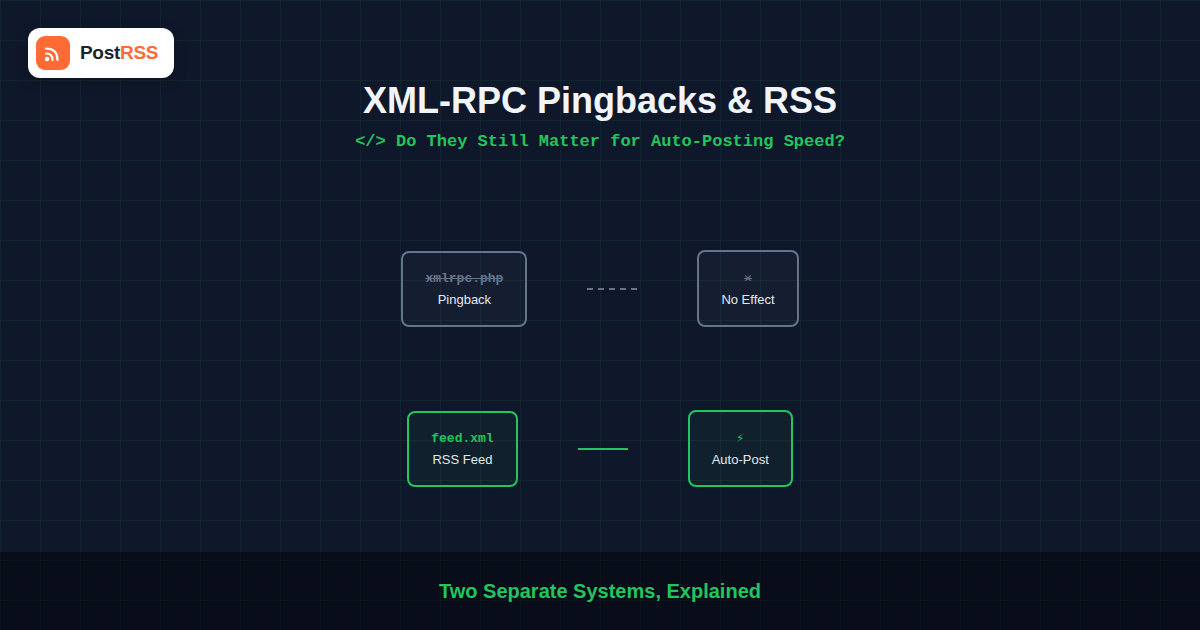
This is the core misconception worth clearing up: pingbacks are a link-notification mechanism between two WordPress sites, not a feed-update notification mechanism to automation tools like PostRSS. Whether XML-RPC and pingbacks are enabled or disabled on your site has no bearing on how an RSS-to-social automation tool discovers that you’ve published something new. That discovery happens through your site’s actual RSS or Atom feed, read either on a polling schedule or via a push protocol like WebSub, entirely separate systems from XML-RPC pingbacks.
In other words, disabling XML-RPC on your WordPress site — a common, often security-motivated choice — will not slow down or otherwise affect how quickly your new posts get auto-posted to social media. The two systems simply don’t interact.
Why XML-RPC Gets a Bad Security Reputation
XML-RPC’s pingback functionality has a well-documented history of abuse. Because the pingback.ping method lets one site tell another “here’s a URL that links to you, go check it,” it can be exploited to make a WordPress site send requests to arbitrary URLs on an attacker’s behalf — a technique used both for reflection-based denial-of-service attacks against third parties and for probing internal network resources. XML-RPC has also historically been used as a brute-force login vector, since certain XML-RPC methods allow authentication attempts to be bundled in ways that bypass typical login rate-limiting.
These are real, well-documented issues, which is why security guides frequently recommend disabling XML-RPC entirely if a site doesn’t have a specific ongoing need for it — a recommendation that remains sound in 2026 regardless of what RSS automation tooling a site uses.
Should You Disable XML-RPC on a Site Using RSS Automation?
Generally, yes, if nothing else on your site specifically depends on it. Since RSS-to-social automation reads your public feed rather than communicating through XML-RPC, disabling it has no downside for your auto-posting setup. The main exception is if you use a mobile app or a specific third-party tool that authenticates to your WordPress site via the legacy XML-RPC API rather than the modern REST API — a genuinely uncommon setup by 2026, but worth checking before disabling anything on a site with tools you didn’t personally configure.
A safer middle ground some site owners use is disabling only the pingback-specific XML-RPC methods while leaving the rest of the interface available, which some security plugins support as a more targeted option than disabling XML-RPC wholesale.
What Actually Does Affect Auto-Posting Speed
Since pingbacks aren’t the mechanism at play, it’s worth being clear about what actually determines how quickly a new post reaches your social accounts:
- Polling frequency: If your automation tool checks your feed on a schedule rather than receiving a push notification, the interval between checks sets the maximum delay.
- WebSub support: Feeds that support WebSub (formerly PubSubHubbub) can push updates to subscribers immediately rather than waiting for the next poll, when both the feed and the subscribing tool support it.
- Feed caching: If your site or a CDN caches the RSS feed itself, a cached version can be served to automation tools even after new content is published, delaying discovery until the cache expires or is purged.
- Server response time: A slow or timing-out feed response can cause an automation tool to skip a check cycle, effectively delaying discovery until the next successful fetch.
Comparison: Pingbacks vs. Actual Feed-Update Mechanisms
| Mechanism | Purpose | Affects RSS Auto-Posting Speed? |
|---|---|---|
| XML-RPC Pingback | Notify another WordPress site of a link | No |
| weblogUpdates.extendedPing | Notify legacy update-tracking services | No, largely obsolete |
| RSS/Atom feed polling | Automation tool checks feed on a schedule | Yes, directly |
| WebSub | Push feed updates to subscribers immediately | Yes, when supported |
| Feed caching | Serves a cached copy of the feed | Yes, can delay discovery |
A Bit of History: Why This Confusion Exists at All
The confusion between pingbacks and feed-based automation has a genuine historical root. In the early-to-mid 2000s, before RSS readers and aggregators had matured their polling infrastructure, weblogUpdates.extendedPing and services like Ping-O-Matic were a real, meaningful part of how quickly a new blog post got discovered across the wider web. A blogger publishing a post would ping one or more update-tracking services, which would then notify subscribed aggregators, effectively creating a crude push notification system layered on top of what was otherwise a pull-based, polling-driven ecosystem.
Over time, this system faded in relevance for a few reasons: search engines got dramatically better at crawling and indexing new content quickly on their own, dedicated push protocols like WebSub emerged with a cleaner, more purpose-built design, and many of the original ping-aggregation services either shut down or became far less central to how content actually got discovered. What’s left today is a legacy feature that still technically works in WordPress, still occasionally referenced in older tutorials, but that no modern RSS-to-social automation tool actually depends on for feed discovery.
How to Verify Your Auto-Posting Speed Independent of XML-RPC
If you want to confirm for yourself that XML-RPC has nothing to do with your auto-posting timing, a simple test settles it: disable XML-RPC entirely (via a security plugin or server-level rule), then publish a new test post and time how long it takes to appear on your connected social accounts. Compare that against your automation tool’s stated polling interval or WebSub behavior. You’ll find the timing matches your feed configuration, not whatever state XML-RPC happens to be in — because the two systems were never connected to begin with.
This kind of verification is worth doing once if you’re skeptical, if only because it removes a variable that otherwise tends to resurface every time someone reads a security article that mentions XML-RPC and a separate article about RSS automation in the same week, and starts wondering if the two are related.
A Note on Trackbacks, a Related but Distinct Legacy Feature
Trackbacks are a related, even older mechanism than pingbacks, requiring a site to manually send a trackback ping to another site rather than WordPress detecting the link automatically. Trackbacks share the same basic security concerns as pingbacks — largely abandoned in practice, occasionally still exploited for spam — and the same non-relationship to RSS-based auto-posting speed. If you’re disabling pingback functionality for security reasons, it’s worth confirming your theme or security plugin handles trackback spam the same way, since the two features are often bundled together in WordPress’s discussion settings but aren’t always described using consistent terminology across different plugins and themes.
A Practical Recommendation
If you’re evaluating your WordPress site’s technical setup with RSS automation in mind, treat XML-RPC and pingbacks as a separate security decision entirely disconnected from your auto-posting configuration. Disable XML-RPC if you don’t have a specific, identified need for it, for the security reasons outlined above — and separately, focus your actual auto-posting speed troubleshooting on your feed’s polling interval, WebSub support, and caching behavior, since those are the systems that genuinely determine how quickly new content reaches your social accounts.
Frequently Asked Questions
Will disabling XML-RPC break my RSS feed?
No. Your RSS feed is a separate, standard endpoint from XML-RPC, generated independently by WordPress. Disabling XML-RPC has no effect on your feed’s availability or content.
Does PostRSS use XML-RPC to detect new posts?
No. RSS automation tools read your site’s public RSS or Atom feed directly, or use WebSub where supported, rather than communicating through the XML-RPC interface.
Is XML-RPC the same thing as the WordPress REST API?
No, they’re separate interfaces. XML-RPC is the older protocol, still present in WordPress largely for backward compatibility, while the REST API is the modern interface most current tools and integrations use.
Why do pingbacks still exist if they’re mostly a security liability?
Pingbacks remain part of WordPress core mainly for backward compatibility with sites and workflows that still rely on them, even though their practical use has declined significantly as spam and abuse concerns grew and as more sites disable the feature by default.
If I disable XML-RPC, will other sites still be able to link to my content?
Yes. Disabling XML-RPC only affects the automatic pingback notification system, not the ability for other sites to link to your content or for visitors to click through to it normally.
Does having pingbacks enabled help my SEO in any way related to RSS?
Not in a meaningful way relevant to RSS auto-posting. Pingbacks primarily affect whether linked mentions show up as comments on your posts, which is unrelated to how your feed is discovered or read by automation tools.
How do I check if XML-RPC is currently enabled on my site?
Visiting yoursite.com/xmlrpc.php directly in a browser will typically show an error message confirming the endpoint exists (WordPress returns a specific “XML-RPC server accepts POST requests only” message), or a 403/404-style response if it’s been disabled by a security plugin or server configuration.
Should I worry that disabling XML-RPC will affect a plugin I’m using?
It’s worth checking your active plugins’ documentation before disabling XML-RPC wholesale, since a small number of legacy plugins and some older mobile publishing apps do rely on it. If nothing in your active plugin list specifically mentions XML-RPC, disabling it is very unlikely to cause any issue.
The Bottom Line
XML-RPC pingbacks and RSS-based auto-posting are two entirely separate systems that happen to share a “WordPress notifies something automatically” surface-level similarity, which is where the confusion usually comes from. Disabling XML-RPC for security reasons, a reasonable and common choice, has zero effect on how quickly PostRSS or any other RSS automation tool picks up your new content. If auto-posting speed is a real concern, look at your feed’s polling interval, WebSub support, and caching setup instead — that’s where the actual answer lives.
See PostRSS pricing and connect your feed to see how quickly your content actually reaches social media once the right settings are in place.