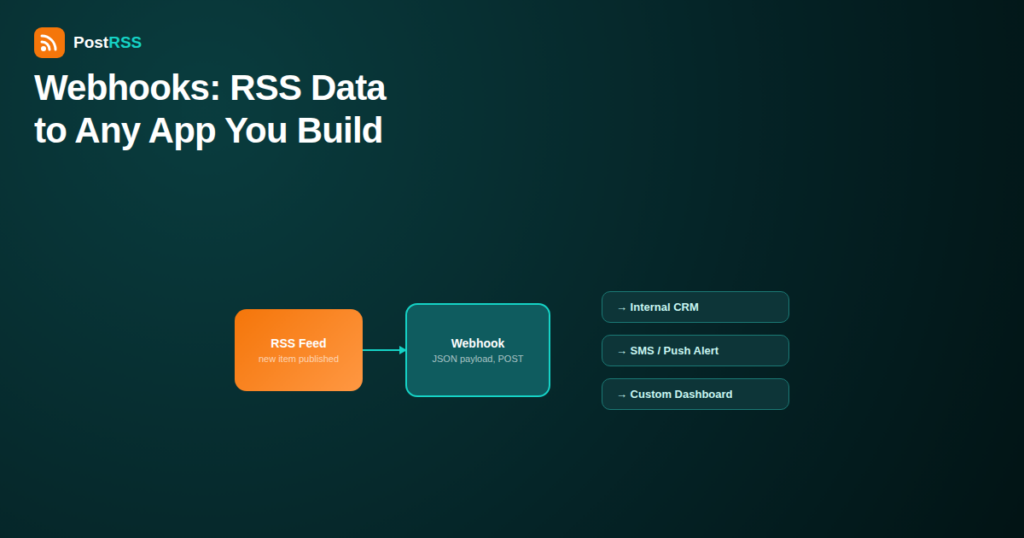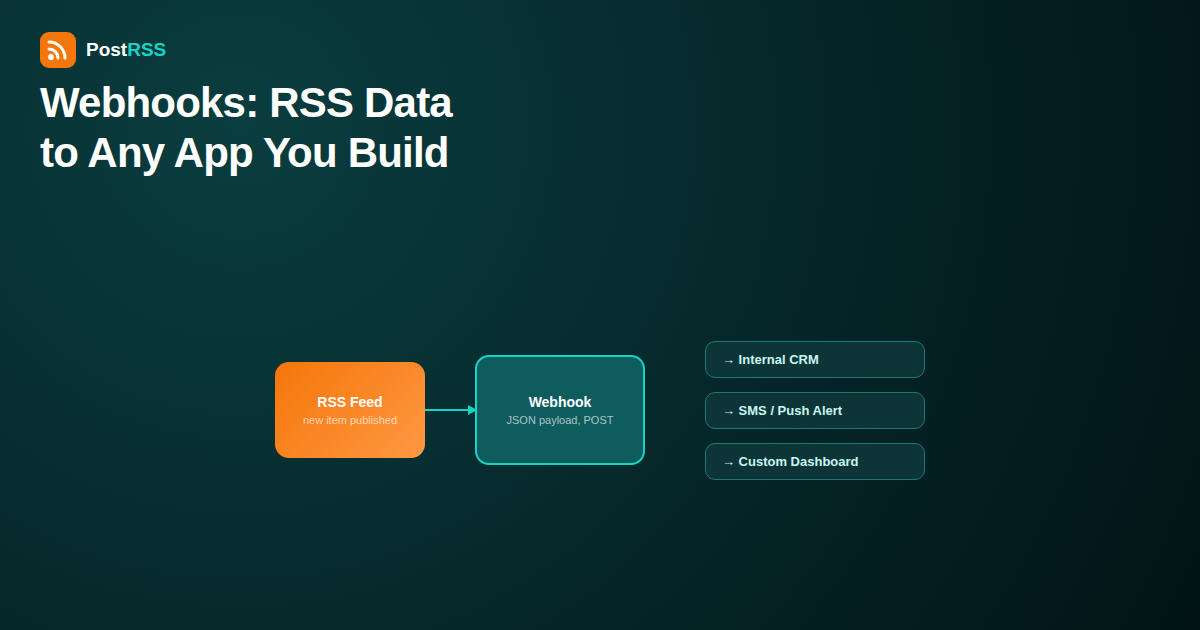
Most of the time, “auto-post my RSS feed” means Facebook, X, LinkedIn, or one of the other major social networks. But plenty of real workflows need new content to land somewhere else entirely: an internal dashboard, a CRM, a custom mobile app, a data warehouse, or an SMS alert system that no auto-posting tool will ever build a dedicated integration for. That’s what a generic webhook is for – a way to send every new RSS item, as structured data, to any endpoint you control, without waiting for a platform to add native support.
This guide covers how webhook-based RSS automation actually works, the kinds of tools it unlocks that platform-specific integrations can’t reach, and what to watch out for when you’re the one building the receiving end.
A webhook is just an HTTP request – almost always a POST request carrying a JSON payload – sent automatically the moment something happens. In the context of RSS automation, “something happens” means a new item appears in your feed. Instead of posting that item to Facebook or X, the automation tool sends it as data to a URL you specify, and whatever’s listening at that URL decides what to do with it.
This is fundamentally different from a native social network connection, where the automation tool has to speak that platform’s specific API, handle its OAuth flow, and respect its specific content rules. A generic webhook has none of that platform-specific logic – it’s just data, sent to wherever you tell it to go, which is exactly what makes it flexible enough to reach tools no integration was ever built for.
Most RSS-to-webhook integrations send a JSON object per new item, structured roughly like this:
| Field | Contains |
|---|---|
| title | The post or article title |
| link | The canonical URL of the new item |
| description / content | Summary or full content, often both plain text and HTML versions |
| pubDate | Publication timestamp |
| guid | A unique identifier for the item, used to prevent duplicate processing |
| image | Featured image URL, if the feed includes one |
| feedUrl / sourceName | Which of your connected feeds the item came from, useful if you’re piping several feeds into one endpoint |
Whatever receives this payload can parse it, transform it, and route it however your own system needs – which is the whole point.
Native integrations exist for platforms with enough shared demand to justify building and maintaining them – the major social networks, and increasingly team chat tools like Slack, Microsoft Teams, and Discord. A generic webhook picks up everywhere else:
Company intranets, internal wikis, and custom-built dashboards can display “latest company news” or “latest blog posts” by receiving webhook pushes rather than polling your feed themselves – useful for teams who want a live internal view without building their own feed parser.
Some teams treat new content publication as a trigger inside their CRM – for example, notifying account managers when a case study relevant to a specific industry goes live, so they can share it with prospects in that vertical at the right moment.
Services like Pushover, ntfy, or a Twilio-based SMS relay can turn a new RSS item into a phone notification, which matters for teams that want to know the instant something publishes without checking a dashboard or inbox.
If your marketing site or documentation pulls in content from a separate blog, a webhook firing on every new post can trigger a rebuild via a deploy hook (Netlify, Vercel, and similar platforms all support this), keeping a statically-generated site in sync automatically.
Logging every published item into a database or analytics tool lets teams track publishing cadence, correlate content output with traffic or conversion metrics, or build historical reports that a live feed alone can’t easily provide.
A “what’s new” feature inside a proprietary app can be powered by the same webhook payload that also feeds your RSS automation to social media, keeping every surface in sync from one publishing event instead of maintaining separate polling logic per app.
The practical setup usually looks like this, regardless of which specific tools sit on each end:
| Risk | Mitigation |
|---|---|
| Anyone who finds your webhook URL can send fake payloads | Use a long, random, unguessable URL path, and validate a shared secret token included in the request headers |
| Payload sent over plain HTTP could be intercepted | Always use HTTPS endpoints – never accept plaintext HTTP for anything containing real content or credentials |
| Duplicate deliveries from retries | Use the item’s guid to deduplicate on your end, since most automation tools retry failed deliveries |
| Your endpoint goes down and silently drops data | Log every incoming request on your end and monitor for gaps, since a webhook system generally won’t alert you that nothing arrived |
It’s worth being clear about how a raw webhook relates to workflow platforms like Zapier, Make, or n8n, since the terms get used interchangeably in ways that cause confusion. A webhook is the delivery mechanism – the HTTP request itself. Zapier, Make, and n8n are places that can either send or receive that request as one step in a larger, visually-built workflow. If you already use one of those platforms, its “custom webhook” trigger is often the fastest way to start receiving RSS-driven events without writing and hosting your own server code, since the platform handles the HTTP listening and lets you build the routing logic (send an SMS, update a spreadsheet, log to a database) in a visual editor instead. Reaching for a raw, self-hosted webhook endpoint makes more sense once your logic outgrows what a visual workflow builder can express cleanly, or when you want full control over uptime, retries, and data handling rather than depending on a third-party platform’s availability.
Consider a B2B company that publishes case studies and wants its sales team notified the moment a case study relevant to a prospect’s industry goes live. The workflow looks like this: the blog’s RSS feed is connected to a webhook destination pointed at a small serverless function; that function checks the new item’s category tag against a list of active deals in the CRM; if a match is found, it calls the CRM’s own API to post a note on the relevant deal and pings the account owner via a chat notification. None of the three tools involved – the CRM, the notification service, and the RSS source – were ever designed to talk to each other directly. The webhook is what makes that connection possible without waiting for any of them to build a dedicated integration for the other two.
If the destination is a mainstream social network with a native integration already available, a direct connection is simpler and more reliable than building and maintaining your own webhook receiver – there’s no reason to reinvent OAuth handling and rate-limit management that a tool like PostRSS already handles for supported networks. Webhooks earn their complexity specifically for the destinations that fall outside what any auto-posting platform will ever natively support: your own internal systems, niche tools, and custom-built software.
To build a fully custom receiving endpoint, yes – some backend code is required to parse and act on the payload. If you’d rather avoid writing code, a no-code automation platform’s “custom webhook” trigger can receive the same payload and route it using visual workflow builders instead.
Most systems retry failed webhook deliveries a limited number of times before giving up. If your endpoint is down for an extended period, some items may be missed entirely, which is why logging and monitoring on your end matters.
Yes – webhook destinations typically work alongside social network connections rather than replacing them, so the same new item can trigger a Facebook post, an X post, and a webhook call to your internal system simultaneously.
Related but different. An API is something you call to request data or trigger an action; a webhook is the reverse – something calls you, automatically, when an event happens. RSS automation tools use webhooks specifically so you don’t have to keep polling them for updates.
Test the webhook against a debugging tool like webhook.site first, trigger a real item through your feed, and inspect the exact payload structure that arrives before writing any parsing code.
Yes – a webhook payload is just structured data delivered on an event; what you do with it is entirely up to your receiving code, whether that’s posting to social media, triggering a static site rebuild, or logging to a database.
No – native integrations remain the simpler, more reliable choice for any platform that offers one, since they handle authentication, formatting, and rate limits for you. Reserve custom webhooks for the destinations that don’t have a native option at all.
A generic webhook turns your RSS feed into a data source that can reach literally anything with an HTTP endpoint – not just the social networks an automation tool was built to support. For internal dashboards, CRMs, push notifications, deploy triggers, and custom apps, a webhook is often the only realistic path to automation, at the cost of needing to build and maintain the receiving logic yourself. Use native integrations wherever they exist, and reach for a custom webhook specifically for the destinations that fall outside what any auto-posting platform will ever natively cover.
What changed in the networks, what broke, and how to fix it before it costs you reach.
 English
 Lietuviškai
 Deutsch
 Français
 Русский
 Español
 Polski
 Italiano
 Українська
 Čeština
 Português
 日本語
日本語 Latviešu valoda
 Eesti
Eesti Magyar
 Bahasa Indonesia
 Türkçe
 हिन्दी
 Ελληνικά
 العربية
 ไทย
ไทย Tiếng Việt
 Română
 Bahasa Melayu
 বাংলা
বাংলা