An auto-posting setup that used to work fine and suddenly stops picking up new content has a short list of usual suspects: an expired social account connection, a broken feed URL, a missing image. One cause that’s easy to overlook entirely is access control at the server level — a robots.txt rule, a firewall setting, or a security plugin that’s quietly blocking the automated request your posting tool makes to check your feed for new items, even though the feed loads perfectly fine when you open it in a browser yourself.
This is a genuinely confusing failure mode precisely because everything looks fine from a human’s perspective. You can visit the feed URL, see the XML, confirm the content is there — and the automation still isn’t picking it up, because the tool making the request isn’t you, it’s a bot, and bots get treated differently by design in a lot of common server configurations.
robots.txt is a plain-text file at the root of your domain (yourdomain.com/robots.txt) that tells well-behaved crawlers which parts of a site they’re allowed to request. It’s a convention, not an enforcement mechanism — a poorly behaved bot can ignore it entirely — but any bot built to respect it (which includes most legitimate automation and search-engine crawlers) will back off from a disallowed path rather than requesting it. If your feed URL, or the broader path it lives under, is disallowed in robots.txt, a compliant auto-posting tool may simply stop checking it rather than attempt a request it’s been told not to make.
Beyond robots.txt specifically, a similar effect can come from server-level bot protection — a firewall, a security plugin, or a hosting provider’s bot-mitigation service — that blocks requests based on the user-agent string or request pattern of an automated tool, independent of what robots.txt says. These systems are usually built to stop malicious scraping, but they don’t always distinguish cleanly between a hostile bot and a legitimate auto-posting service making a routine, low-frequency check of your own feed.
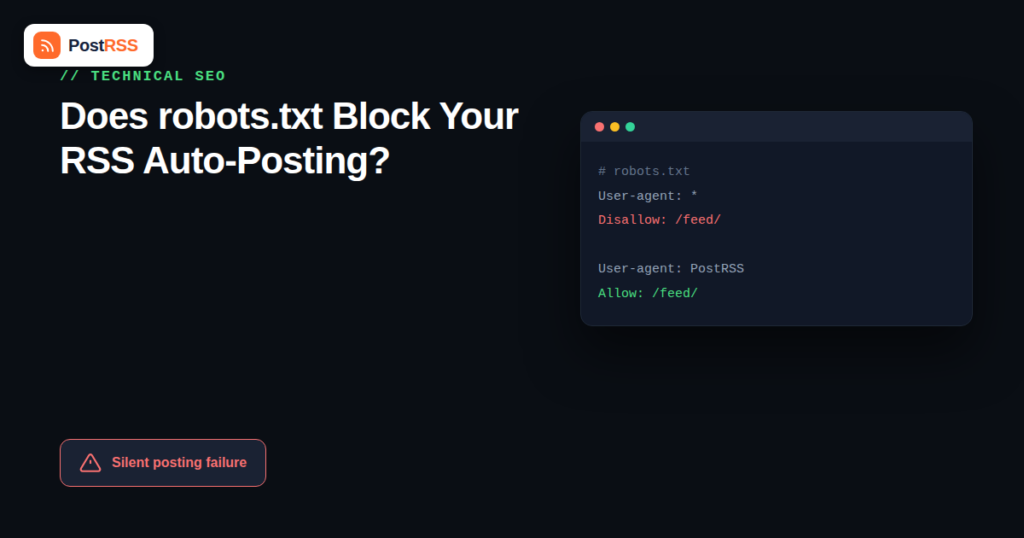
yourdomain.com/robots.txt in a browser and look for a Disallow rule that covers your feed path (commonly /feed, /feed/, or a custom feed URL). A rule like Disallow: /feed/ would block exactly the kind of automated access an auto-posting tool needs.User-agent: * / Disallow: / applied more broadly than intended, often left over from a staging environment that was never updated after launch.| Pattern | What It Does | Risk |
|---|---|---|
Disallow: /feed/ | Blocks all crawler access to feed URLs under that path | Directly blocks most auto-posting tools from checking your feed |
Disallow: / (site-wide) | Blocks all automated access to the entire site | Often accidental — left over from a staging site, blocks everything including your feed |
User-agent: * / Crawl-delay: 86400 | Tells compliant crawlers to wait a full day between requests | Can cause severe posting delays even without an outright block |
| No robots.txt issue, but a WAF/firewall rule | Blocks based on user-agent or request pattern, independent of robots.txt | Invisible in robots.txt entirely — requires checking security plugin/firewall settings directly |
Add an explicit Allow rule for your feed path, or narrow an overly broad Disallow rule so it doesn’t accidentally cover your feed URL. Most WordPress sites generate a default robots.txt automatically and rarely block the feed out of the box — this issue is more common on custom-built sites or ones where a developer copied a restrictive robots.txt from another project without reviewing what it actually covered.
Most security plugins and hosting-level firewalls support allowlisting a specific user-agent or IP range. Check your auto-posting tool’s documentation for the user-agent string or IP ranges it uses to fetch feeds, and add an explicit allow rule for it rather than disabling bot protection site-wide, which would undo the security benefit entirely for the sake of one integration.
Start with robots.txt since it’s the fastest thing to check and rule out. If that’s clean, move to your security plugin or hosting provider’s bot-management settings — most hosting control panels (and services like Cloudflare) log blocked requests with enough detail to identify what triggered the block.
Everything about this failure mode is designed to look fine from a human’s perspective. Your feed loads normally when you open it. Your website works normally for visitors. Search engines might even be indexing your content fine, if their specific crawler happens to be allowlisted while a lesser-known auto-posting service’s user-agent isn’t. The only symptom is a quiet, specific gap: new content stops reaching social media, with no error message anywhere a person would normally look, because the block happens at the server level before your auto-posting tool’s own error handling ever gets a chance to report anything back to you.
| Check | Why It Matters |
|---|---|
| robots.txt allows your feed path | Prevents compliant crawlers, including auto-posting tools, from being blocked outright |
| Security plugin isn’t set to an overly aggressive bot-blocking mode | Some “strict” security presets block legitimate automation as a side effect |
| Feed URL hasn’t changed since a site redesign or migration | A changed URL without a redirect breaks the connection even with correct access rules |
| Hosting provider doesn’t rate-limit automated requests aggressively | Some budget hosting plans throttle repeated automated requests, which can look identical to a robots.txt block from the outside |
robots.txt issues that affect auto-posting often overlap with issues that affect search engine indexing more broadly — a feed path that’s accidentally disallowed is frequently a symptom of a robots.txt file that’s more restrictive than intended across the board, not just for your feed. If you’re troubleshooting an auto-posting gap, it’s worth reviewing your technical SEO setup more broadly at the same time, since a robots.txt misconfiguration serious enough to block auto-posting tools is often also affecting how search engines are able to crawl and index your site.
A common version of this problem: a site migrates to a new hosting provider or adds a security plugin for the first time, and everything about the public-facing site continues to work exactly as before. A week or two later, someone notices the RSS फ़ीड hasn’t sent anything to social media in that entire time, despite several new posts having gone live. The natural first instinct is to check the auto-posting tool itself — is the connection still authorized, has something changed in the account — when the actual cause is a default-on “bot fight mode” or similarly named aggressive protection setting the new security plugin or hosting provider enabled automatically, with no announcement and no obvious place a typical site owner would think to look.
This scenario is common enough that it’s worth checking security and hosting changes specifically whenever an auto-posting setup that was previously working suddenly and completely stops, especially if the timing lines up with any change to hosting, security plugins, or a CDN/firewall service like Cloudflare.
It helps to distinguish a bot-blocking issue from an unrelated feed error, since the troubleshooting paths are different. A malformed or broken feed typically shows an error when validated through any feed-checking tool, browser or automated alike — the problem is visible regardless of who’s requesting it. A bot-blocking issue, by contrast, produces a feed that validates perfectly clean when checked manually but still fails silently for automated requests specifically, because the block happens before the feed content is even reached. If your feed validates without errors but auto-posting still isn’t working, that’s a strong signal to look at access control rather than feed formatting.
If you don’t manage your own hosting or don’t have access to edit robots.txt or firewall settings directly, this is a reasonable and common request to bring to whoever does — a web developer, agency, or hosting support team. Framing the request specifically (“please allowlist automated access to our feed at [URL] for [auto-posting tool]”) tends to get resolved faster than a general “our social media isn’t updating” report, since it points directly at the access-control layer rather than leaving the actual cause to be rediscovered from scratch.
Only partially — robots.txt is a voluntary convention that well-behaved bots (including most legitimate services and search engines) respect, but it does nothing to stop a bot that’s specifically built to ignore it. Real protection against malicious scraping generally requires firewall-level blocking, not just a robots.txt rule.
Check your tool’s documentation or support resources — most RSS-to-social automation services publish the user-agent string or IP ranges they use specifically so site owners can allowlist them in a firewall or security plugin.
No — a browser request and an automated tool’s request are treated differently by both robots.txt (which only affects compliant automated crawlers, not manual browsing) and many firewalls (which often apply rules based on user-agent or request patterns that a browser simply doesn’t trigger).
Yes — a Crawl-delay directive, for example, doesn’t block access outright but can slow down how frequently a compliant tool checks your feed, which can look like a delay problem rather than an outright failure.
It’s more common on custom-built or developer-managed sites where robots.txt was configured manually, and less common on standard WordPress installs, which generate a permissive default robots.txt unless someone has specifically edited it or installed a security plugin with aggressive default settings.
No — robots.txt serves a real purpose in guiding legitimate crawlers away from admin areas, duplicate content, or resource-heavy paths that shouldn’t be indexed. The fix is a targeted allow rule for your feed path, not removing robots.txt protections wholesale.
Yes — some hosting providers apply their own bot-mitigation rules at the infrastructure level, independent of anything configured on the site itself. If robots.txt and your security plugin both check out clean, contacting your hosting provider’s support about automated request blocking is the next step.
Any automated service that fetches your feed or site programmatically — search console tools, uptime monitors, other integrations — can be affected by the same overly broad block, which is another reason it’s worth fixing the underlying access rule rather than working around it for one specific tool.
A blocked feed is one of the least obvious causes of a stalled auto-posting setup precisely because nothing about it looks broken to a human checking the same URL in a browser. Checking robots.txt and your security plugin’s bot-handling settings takes a few minutes and rules out — or confirms — a cause that’s otherwise very easy to miss while chasing more visible explanations. Once your feed path is explicitly allowed for legitimate automated access, this class of problem tends to stay fixed permanently rather than recurring.
What changed in the networks, what broke, and how to fix it before it costs you reach.
PostRSS बनाने वाली टीम Internet Solutions की ओर से। हर प्रोडक्ट आपका समय अपने तरीके से बचाता है।
 English
 Lietuviškai
 Deutsch
 Français
 Русский
 Español
 Polski
 Italiano
 Українська
 Čeština
 Português
 日本語
日本語 Latviešu valoda
 Eesti
Eesti Magyar
 Bahasa Indonesia
 Türkçe
 हिन्दी
 Ελληνικά
 العربية
 ไทย
ไทย Tiếng Việt
 Română
 Bahasa Melayu
 বাংলা
বাংলা