RSS 66 sotsiaalvõrgustikku: Facebook, Instagram, X, LinkedIn, Telegram ja teised Blogi Partnerprogramm Kontaktid
Not every blog post belongs on every platform. A technical release note might matter to your LinkedIn audience of industry peers but mean nothing to the Instagram followers who came for product photos. A recipe blog’s “kitchen equipment reviews” category might do well on Pinterest but clutter up a Facebook Page built around family-friendly weeknight dinners. Auto-posting everything, everywhere, all the time is the fastest way to make RSS-to-social automation feel like spam rather than a genuine time-saver — and it’s also entirely avoidable, if your feed is organized to support category-based routing.
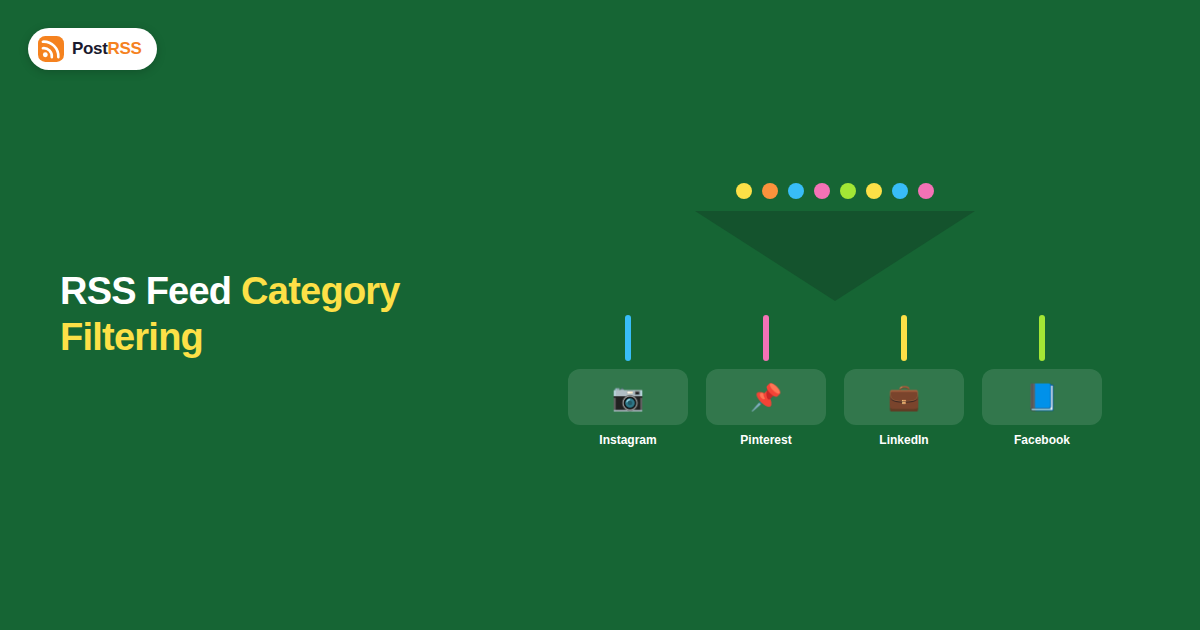
Most blogging platforms let you organize content into categories or tags (a WordPress post can belong to “Product Updates,” “Company News,” and “Tutorials” simultaneously, for instance). Many of those platforms also let you generate a separate RSS feed scoped to just one category — typically at a URL like yoursite.com/category/tutorials/feed rather than the site-wide yoursite.com/feed. Once you have category-specific feed URLs, you can connect each one to a different destination in your automation tool: tutorials to LinkedIn and X, product photos to Instagram and Pinterest, general announcements to Facebook — instead of forcing every single post through every single platform.
Before touching any automation settings, list out the categories or tags your website already uses, and note which ones genuinely deserve their own platform strategy versus which are just organizational housekeeping that doesn’t need separate routing.
On WordPress, category feeds typically follow the pattern yoursite.com/category/category-slug/feed automatically, with no extra plugin required. Other platforms vary — check your CMS’s documentation, or ask a developer whether category-scoped feeds are exposed and at what URL pattern.
| Content category | Best-fit platforms | Reasoning |
|---|---|---|
| Product updates / release notes | LinkedIn, X | Professional and industry audiences care about substantive updates |
| Visual/lifestyle content | Instagram, Pinterest | Image-forward platforms reward strong visuals over text-heavy updates |
| Company news / hiring / culture | LinkedIn, Facebook | Reaches prospective employees and a broader community audience |
| Tutorials / how-to guides | Pinterest, X, Facebook | Long shelf-life, evergreen content that benefits from Pinterest’s search behavior |
| Promotions / limited-time offers | Facebook, Instagram, X | Broad-reach platforms where urgency-driven content performs well |
Inside your RSS automation tool, add each category feed URL as its own connection, pairing it with only the destination platforms you mapped in the previous step, rather than routing your entire site-wide feed to every account.
If your tool allows different caption templates per connected feed, use this to reinforce the platform-appropriate tone identified earlier — a tutorial post captioned for Pinterest’s search-driven audience should read differently than the same tutorial captioned for a quick X update.
Consider an e-commerce brand selling home goods, running a blog with three categories: “New Arrivals,” “Styling Tips,” and “Behind the Brand.” Without category routing, every post from all three categories hits Facebook, Instagram, X, and Pinterest simultaneously — meaning company culture posts about warehouse expansions show up in the same feed as product photography, diluting both. With category routing: New Arrivals goes to Instagram and Pinterest (where product visuals perform), Styling Tips goes to Pinterest and Facebook (where evergreen how-to content has long shelf life), and Behind the Brand goes to LinkedIn and Facebook (where audience-building and hiring content fits naturally). Each platform ends up with a tighter, more relevant feed instead of an undifferentiated stream of everything the company publishes.
A category-specific feed isn’t a separate copy of your content sitting somewhere else — it’s the same underlying post data, filtered by the category taxonomy your CMS already tracks, and exposed at its own feed URL. When you publish a new post and assign it to “Tutorials,” your CMS doesn’t just add it to the site-wide feed; it also automatically includes it in the Tutorials category feed, with no extra publishing step required on your part. This is why the setup is comparatively low-maintenance once configured: you keep publishing and categorizing posts exactly as you already do, and the different feed URLs simply reflect different slices of that same underlying content, updating automatically as new posts are tagged.
This also means category routing doesn’t require a second content-management step or a duplicate publishing workflow — the only new work is connecting each category’s feed URL to the right destination inside your automation tool once, not maintaining parallel content pipelines going forward.
Category routing becomes especially valuable once more than one person is publishing to the same website. Without it, a marketing lead publishing customer case studies and an engineering lead publishing changelog updates end up feeding the exact same undifferentiated stream to every platform, regardless of who wrote what or which audience it was actually meant for. With category routing configured, each contributor’s content routes to the right audience automatically based on the category they select at publish time — the engineering lead’s changelog naturally reaches the LinkedIn and X audience that cares about it, while the marketing lead’s case study reaches the platforms where prospective customers are actually browsing, without either person needing to coordinate manually on where their specific post should go.
This also reduces a common failure mode in team settings: someone new to the team publishing a post and manually cross-posting it to the wrong platform out of habit, rather than the platform that’s actually the best fit. Once the routing is set up centrally, that judgment call is baked into the system rather than depending on each individual contributor remembering the right platform strategy for their specific content type.
Not every CMS exposes category feeds by default. If yours doesn’t, a few workarounds are worth considering: check whether a plugin or theme feature can generate one, ask a developer to add a category-scoped feed template if you’re on a custom build, or, as a lower-effort fallback, maintain the routing decision manually for a smaller number of high-priority posts rather than trying to automate the entire content catalog by category from day one.
If auditing every category and mapping each one to a specific platform feels like more setup than you want to take on right away, a reasonable middle ground is to start with just one split: separate your most visually driven content category from everything else, and route only that one to Instagram and Pinterest while everything else continues going through your existing site-wide feed to the rest of your platforms. This captures a meaningful chunk of the benefit — keeping your most image-heavy content from getting lost in a general feed, and keeping visually thin content off platforms where it underperforms — without requiring a full content taxonomy overhaul on day one. You can always expand the mapping once the first split proves its value.
That depends on your specific tool’s pricing model — some charge per connected feed, others per destination account, so check how your plan’s limits are structured before building an elaborate multi-category setup.
Yes, if your automation tool supports per-destination caption templates — the category feed stays the same, but each connected platform can have its own caption format layered on top.
You’ll need to explicitly connect the new category’s feed and decide which platforms it should route to — automation tools generally don’t infer this automatically, since a new category could reasonably fit several different platform strategies.
No — even a solo blogger with two or three clearly different content types can benefit, since the core value, matching content to the audience that actually wants it, applies regardless of team size or how many people are involved in publishing.
No — each category feed is checked independently on the same schedule as a single site-wide feed would be, so splitting by category doesn’t introduce additional delay.
Yes — connect one category feed to a single platform first, observe how it performs for a few weeks, and expand the mapping only once you’re confident the routing logic is working as expected.
If your platform generates tag-specific feeds the same way it does category feeds, yes — the underlying mechanism is identical, so use whichever taxonomy, categories or tags, your team already organizes content around most consistently, rather than introducing a new system just for this purpose.
Yes, if your store platform organizes products into categories or collections and exposes a feed per category — the same routing logic applies, letting a “New Arrivals” collection feed to Instagram and Pinterest while a “Clearance” collection feeds to Facebook and X, for example.
A quarterly review is a reasonable cadence for most teams — frequent enough to catch a genuine shift in where your audience is engaging, without turning the mapping into something you’re second-guessing on a weekly basis.
Blasting every post to every platform is the easiest way to set up RSS automation, but it’s rarely the most effective one. Category-based routing takes a bit more upfront setup — auditing your content categories, confirming your platform exposes category feeds, and mapping each one to the right destinations — but the payoff is a social presence that actually matches what each audience came for, instead of one undifferentiated stream diluting all of them at once. Start with a single split if a full rebuild feels like too much, prove the value, and expand the mapping from there.
What changed in the networks, what broke, and how to fix it before it costs you reach.
Loonud Internet Solutions, PostRSS-i taga olev meeskond. Iga toode säästab aega omal moel.
 English
 Lietuviškai
 Deutsch
 Français
 Русский
 Español
 Polski
 Italiano
 Українська
 Čeština
 Português
 日本語
日本語 Latviešu valoda
 Eesti
Eesti Magyar
 Bahasa Indonesia
 Türkçe
 हिन्दी
 Ελληνικά
 العربية
 ไทย
ไทย Tiếng Việt
 Română
 Bahasa Melayu
 বাংলা
বাংলা