RSS 66 sotsiaalvõrgustikku: Facebook, Instagram, X, LinkedIn, Telegram ja teised Blogi Partnerprogramm Kontaktid
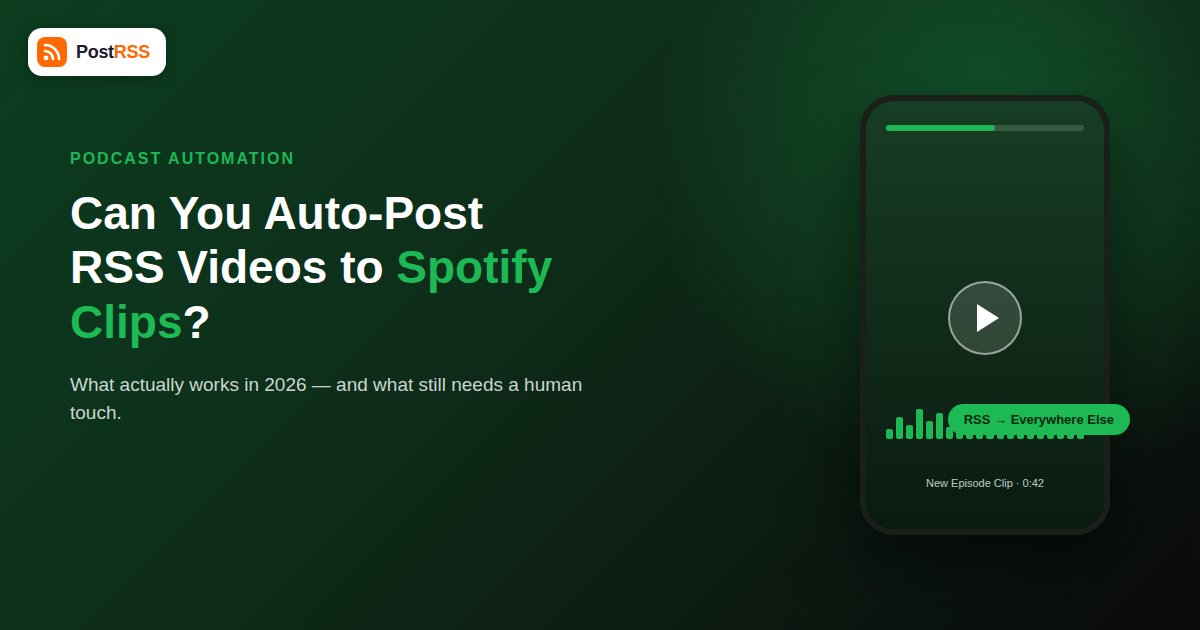
Spotify Clips — the short, shareable video snippets that Spotify auto-generates from podcast episodes inside Spotify for Creators — have become one of the platform’s most-searched features in 2026. Podcasters see TikTok and Reels driving downloads for competitors and want the same thing for their own show. The natural question follows: can you just point an RSS feed at Spotify and have new episodes turn into auto-posted Clips, the same way PostRSS pushes new blog posts to Facebook, X, or LinkedIn the moment they publish?
The honest answer is no — not directly, and not the way most people assume. Spotify Clips are generated and published entirely inside Spotify’s own ecosystem, with no public API endpoint that lets a third-party RSS tool submit a video or trigger a Clip creation. But there’s a real, working automation stack you can build around Clips once Spotify has made them, and that’s what this guide covers in detail.
Spotify Clips are 30- to 60-second vertical video snippets pulled from a podcast episode, either auto-selected by Spotify’s algorithm or manually trimmed by the creator inside the Spotify for Creators app. They’re designed to be shared outside Spotify — on Instagram Stories, TikTok, X, and elsewhere — to drive traffic back to the full episode on Spotify. Each Clip gets its own shareable link and a downloadable video file with the Spotify player bar branding baked in.
Crucially, Clips are a post-publish, in-app feature. You upload or auto-detect the episode inside Spotify for Creators, Spotify (or you) picks a segment, and Spotify renders the video. There is no “Clips API” you can call from a script, and there is no way for an RSS feed item to become a Clip automatically the moment it’s published. Spotify controls the entire pipeline from raw audio to finished video.
Podcast RSS feeds carry audio (and sometimes video) enclosures, episode titles, descriptions, and metadata — that’s how podcast directories, including Spotify, discover new episodes in the first place. But a Clip isn’t metadata-driven; it requires:
None of that lives in your RSS feed’s XML. Your feed can tell Spotify “here’s a new episode,” which is how Spotify ingests the audio in the first place — but it has no mechanism to tell Spotify “and also cut a 45-second Clip from 12:30 to 13:15 and publish it.” That step is manual (or semi-automated inside Spotify’s own app), full stop, as of 2026.
While the Clip-creation step itself isn’t automatable via RSS, the workflow around it absolutely is. Here’s the realistic pipeline most podcasters end up running:
Your podcast RSS feed already handles this — Spotify polls your feed (or receives a push via a service like Google’s or your host’s PubSubHubbub-style notification) and lists the new episode automatically. This part has worked for years and needs no extra tooling beyond a valid, well-formed feed.
Inside Spotify for Creators, open the new episode, use the Clip tool, and either accept Spotify’s suggested segment or trim your own. This takes two to five minutes per episode and, as of this writing, cannot be skipped or scripted — there’s no batch API for it.
This is where an RSS automation tool earns its keep. Once your episode is live, PostRSS can pick up the new item from your podcast RSS feed the moment it’s published and auto-post the episode link, show notes excerpt, and cover art to Facebook, X, LinkedIn, VKontakte and the other networks you have connected — no manual copy-pasting required. If you want the Clip video itself to reach other networks, you download the rendered Clip file from Spotify for Creators and upload it manually to platforms like Instagram Reels or TikTok, since those also require native uploads rather than RSS-fed video.
The real win for most shows isn’t the Clip itself — it’s making sure every episode gets a consistent multi-platform push without someone remembering to do it manually every week. That’s a scheduling and reliability problem, and it’s exactly what podcast automation tools are built to solve.
| Task | Can RSS/PostRSS Automate It? | Notes |
|---|---|---|
| Episode appears in Spotify catalog | Yes (native) | Handled by Spotify’s own RSS polling, no third-party tool needed |
| Clip video is generated from the episode | No | Manual or Spotify-suggested, done inside Spotify for Creators only |
| Clip is published to Spotify’s app | No | No public write API for Clips as of 2026 |
| Episode link auto-posted to Facebook/X/LinkedIn/VK | Yes | Standard RSS-to-social auto-posting via PostRSS |
| Clip video re-uploaded to Instagram Reels/TikTok | Manual step | Download from Spotify, then upload natively — no RSS path exists |
| Show notes and cover art distributed automatically | Yes | Pulled straight from your podcast RSS item fields |
For a weekly podcast, the full loop looks like this: publish the episode through your host, which updates your RSS feed. Spotify picks it up within a few hours. You spend a few minutes in Spotify for Creators trimming (or approving) a Clip. Meanwhile, your RSS-to-social automation has already pushed the episode announcement to your other channels the moment the feed updated, so your audience outside Spotify isn’t waiting on you to finish the Clip step. When the Clip is ready, you manually cross-post the video file to Reels or TikTok as a separate five-minute task. Nothing is duplicated, and nothing depends on a fragile workaround.
You’ll occasionally see tools advertise “auto-post to Spotify.” In every case we’ve checked, this means one of two things: either they’re auto-submitting your RSS feed to Spotify for podcast ingestion (which, again, Spotify already does natively once you submit your feed once), or they’re posting a text link to your episode on other social networks and calling it “Spotify posting” loosely. None of them are pushing rendered video Clips into Spotify’s app on your behalf, because the API surface to do that doesn’t exist for outside developers. Be skeptical of any claim that sounds like true Clip automation — verify by checking whether the tool asks for Spotify for Creators login access (a red flag suggesting fragile, unofficial scraping) versus just reading your public RSS feed (the safe, standard approach).
If your goal is simply “get more mileage out of every episode,” the practical setup is: keep your podcast RSS feed clean and complete (full titles, real show notes, correct enclosure tags), let Spotify handle ingestion and Clip suggestions natively, and use an automation layer for everything outside Spotify’s walled garden — the Facebook post, the X post, the LinkedIn update, the newsletter mention. That’s the layer where RSS automation genuinely replaces manual work, and it’s also the layer with no platform-side restrictions blocking it.
Before you even get to the Clip stage, your episode has to show up in Spotify’s catalog cleanly and quickly. In practice, most delays trace back to feed hygiene issues that have nothing to do with Spotify’s Clip feature and everything to do with the underlying RSS mechanics:
<enclosure> element is missing a valid URL, MIME type, or file length, some directories — including Spotify at times — will silently skip the item instead of erroring loudly.None of these are Spotify-specific problems — they’re the same feed-quality issues that affect every downstream consumer of your RSS feed, including your own social automation. Fixing them once improves ingestion speed everywhere, not just inside Spotify.
Because Clip creation still costs you a few minutes of manual attention per episode, it’s worth tracking whether that time pays off before you build it into a permanent weekly habit. A simple way to measure it:
| Metric | Where to Check It | What It Tells You |
|---|---|---|
| Clip views / shares | Spotify for Creators dashboard | Whether the Clip format itself is getting traction outside Spotify |
| Episode plays in the 48 hours after a Clip is shared | Spotify for Creators dashboard, filtered by date | Whether Clips are converting attention into actual listens |
| Referral traffic from social posts (non-Clip) | UTM-tagged links in your auto-posted announcements | Baseline performance of your always-on RSS automation, for comparison |
If Clip-driven plays consistently outperform your baseline auto-posted announcements, the manual trimming time is worth keeping in the workflow. If they’re roughly the same, you may be better off spending that time elsewhere and simply relying on your automated cross-posting to carry the episode’s reach.
No. Neither Zapier nor Make offers a Spotify Clips action because Spotify hasn’t published a public API for creating or publishing Clips. Any workflow claiming to do this is either misnamed or relies on browser automation that Spotify can (and does) block.
Spotify analyzes the audio itself — engagement data, pacing, and speech patterns — not your RSS metadata, to suggest a Clip segment. Your feed’s job ends at getting the episode into Spotify’s catalog.
Yes, once Spotify gives you a shareable Clip URL, you can drop that link into your own content (a blog post, a newsletter, a social caption) and let your normal RSS-to-social automation carry it from there, the same as any other link.
Not through any official or third-party tool as of 2026. Spotify’s Clip tool works episode-by-episode inside the creator dashboard, and there’s no bulk export or bulk-generate option currently available.
Video podcasts uploaded directly to Spotify give the Clip tool more to work with (actual footage instead of a static waveform animation), but the creation step is still manual or Spotify-suggested either way — the format of your source doesn’t unlock an automation path.
That depends entirely on Spotify opening a public write API for Clips, which hasn’t happened as of this writing. PostRSS already auto-posts your podcast episode links, titles, and cover art the moment your feed updates — that part works today and doesn’t wait on Spotify.
Start with the highest-leverage, fully automatable step: connecting your podcast RSS feed so every new episode auto-posts to your social accounts the second it goes live. That alone removes the most common point of failure — someone forgetting to post — before you worry about manual Clip creation at all.
You cannot auto-post RSS feed content directly into Spotify Clips in 2026 — the feature lives entirely inside Spotify’s own creator tools, with no public API for third parties to trigger video generation or publishing. What you can do is automate everything around that gap: reliable episode ingestion, instant cross-platform announcements the moment your feed updates, and a clean handoff to the two or three minutes of manual work Spotify still requires. Set up the automatable 90% with a tool like PostRSS, and the remaining manual step stops feeling like a bottleneck.
What changed in the networks, what broke, and how to fix it before it costs you reach.
Loonud Internet Solutions, PostRSS-i taga olev meeskond. Iga toode säästab aega omal moel.
 English
 Lietuviškai
 Deutsch
 Français
 Русский
 Español
 Polski
 Italiano
 Українська
 Čeština
 Português
 日本語
日本語 Latviešu valoda
 Eesti
Eesti Magyar
 Bahasa Indonesia
 Türkçe
 हिन्दी
 Ελληνικά
 العربية
 ไทย
ไทย Tiếng Việt
 Română
 Bahasa Melayu
 বাংলা
বাংলা