RSS σε 66 κοινωνικά δίκτυα: Facebook, Instagram, X, LinkedIn, Telegram και άλλα Blog Συνεργατικό Πρόγραμμα Επικοινωνία
Σύνδεση Ξεκινήστε δωρεάν

WordPress Tips

This tag covers general WordPress tips related to feeds, publishing settings, and site configuration that affect how well automation tools like PostRSS can read and use a site's content. WordPress generates a default RSS feed automatically at /feed/ for every site, and PostRSS connects to that native feed directly, so no additional on-server plugin is needed and the site's own performance is unaffected. Because PostRSS runs its feed checks in the cloud rather than on the WordPress server itself, it avoids the resource drain that some self-hosted auto-posting plugins introduce during high-traffic periods. PostRSS can be pointed at a category-specific or tag-specific WordPress feed URL rather than the site-wide feed, which allows automating posting for only certain types of content. Articles here are broader than pure automation topics, covering WordPress configuration choices that indirectly improve how cleanly a feed translates into social posts. This tag is a useful supplement to the more automation-specific WordPress tags on this blog.
Which RSS Feed URL to Use When Your Site Has Several
Updated: 2026-09-30

Short answer: For most sites, use the main posts feed: /feed/ on WordPress, /rss/ on Ghost, /feeds/posts/default on Blogger, or...

Διαβάστε περισσότερα »
WordPress Custom Post Type RSS Feeds: Find, Fix and Auto-Post
Updated: 2026-09-30

Short answer: WordPress custom post types, such as events, listings, projects or recipes, can have their own RSS feeds. The add...

Διαβάστε περισσότερα »
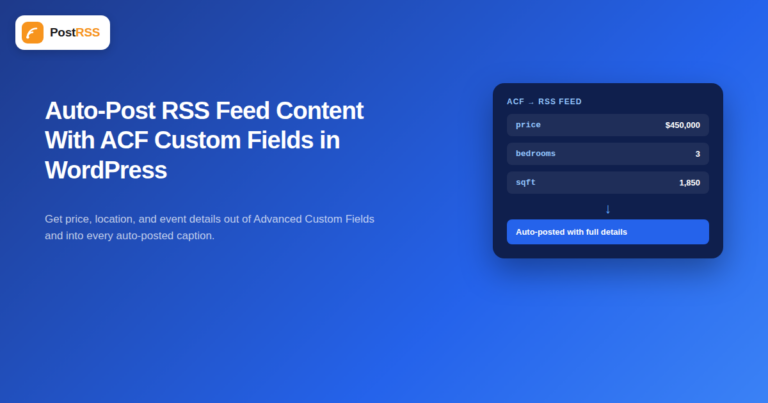
How to Auto-Post RSS Feed Content with Advanced Custom Fields (ACF) in WordPress
Updated: 2026-09-29

Advanced Custom Fields (ACF) is one of the most widely installed WordPress plugins for a reason: it lets a site store structure...

Διαβάστε περισσότερα »
How to Make Auto-Posted Social Media Captions Sound Human, Not Robotic
Updated: 2026-09-28

Updated: August 23, 2026 "Won't my automated posts just look like a robot is running my social media?" It...

Διαβάστε περισσότερα »
How to Use RSS Feeds for Automation: The Complete 2026 Guide
Updated: 2026-09-29

Demystifying Really Simple Syndication, locating your feed URLs, and transforming static content streams into automated marketi...

Διαβάστε περισσότερα »

Περισσότερα εργαλεία από την ομάδα μας

Από την Internet Solutions, την ομάδα πίσω από το PostRSS. Κάθε προϊόν σάς εξοικονομεί χρόνο με τον δικό του τρόπο.

Live chat με AI για ιστότοπους Talkmio Ο ιστότοπός σας απαντά στους επισκέπτες 24/7 με βάση το δικό σας περιεχόμενο, στη γλώσσα τους. Δωρεάν πρόγραμμα · χωρίς κάρτα Βοηθός AI Ask Mio Συνομιλία, κώδικας, σχεδιασμός, γραφή και έρευνα. Το Mio επιλέγει το καλύτερο μοντέλο για κάθε εργασία. Δωρεάν πρόγραμμα Αυτόματος πιλότος AI για blog και social AI Blog Autopilot Η AI γράφει άρθρα SEO 2.000–3.000 λέξεων και κοινοποιεί το καθένα σε 58+ κοινωνικά δίκτυα. Τα 3 πρώτα άρθρα δωρεάν Έλεγχος υγείας ιστότοπου Site AI Audit SEO, ταχύτητα, SSL, ασφάλεια και ρυθμίσεις email σε μία αναφορά, με σειρά προτεραιότητας. Ο πρώτος έλεγχος δωρεάν Σε βάθος ανίχνευση SEO Site SEO AI Audit Πλήρης ανίχνευση SEO σε 7 τομείς, μαζί με την ορατότητα στην αναζήτηση AI, με διορθώσεις ταξινομημένες κατά αντίκτυπο. Ο πρώτος έλεγχος δωρεάν RSS και ροές προϊόντων RSS Feed Creator Δημιουργήστε RSS από οποιαδήποτε σελίδα, καθώς και ροές προϊόντων για Google και Meta που ενημερώνονται μόνες τους. Δωρεάν πρόγραμμα Ανάπτυξη ιστότοπων και SEO Internet Solutions Ιστότοποι, ηλεκτρονικά καταστήματα και εξατομικευμένα συστήματα, που σχεδιάζει, κατασκευάζει και υποστηρίζει η ομάδα μας. Από το 2011
PostRSS - Αυτοματισμός RSS Feed & αυτόματη δημοσίευση
Επισκόπηση Απορρήτου

Αυτός ο ιστότοπος χρησιμοποιεί cookies ώστε να μπορούμε να σας παρέχουμε την καλύτερη δυνατή εμπειρία χρήστη. Οι πληροφορίες των cookies αποθηκεύονται στον περιηγητή σας και εκτελούν λειτουργίες όπως η αναγνώρισή σας όταν επιστρέφετε στον ιστότοπό μας και η βοήθεια της ομάδας μας να κατανοήσει ποια τμήματα του ιστότοπου βρίσκετε πιο ενδιαφέροντα και χρήσιμα.
