RSS σε 66 κοινωνικά δίκτυα: Facebook, Instagram, X, LinkedIn, Telegram και άλλα Blog Συνεργατικό Πρόγραμμα Επικοινωνία
An auction runs on attention at exact moments: when a catalogue opens, when a star lot is previewed, when bidding closes, when results are published. Missing those moments costs money. RSS auto-posting for auction houses puts announcements on a schedule that your website already sets. When your catalogue page, lot page or results page appears in a feed, a post goes to the networks your bidders use, so the marketing keeps pace with the sale calendar instead of depending on whoever remembers to write it.
This guide is for auction houses, estate-sale companies, charity auctions and online bidding sites. It explains which feeds to build, what to post, what to keep out of automation and how to pick networks. It sits next to our other articles in the auto-posting archive; if you are new to the tool, the PostRSS homepage gives an overview.
An RSS feed is just a list of items with a title, link, date and optional summary and image. Auction sites can produce several useful ones, and each drives a different type of post.
| Feed | Typical item | Good post | Cadence |
|---|---|---|---|
| New catalogues | “Fine Art and Antiques, 14 November” | Announcement with preview dates | A few per month |
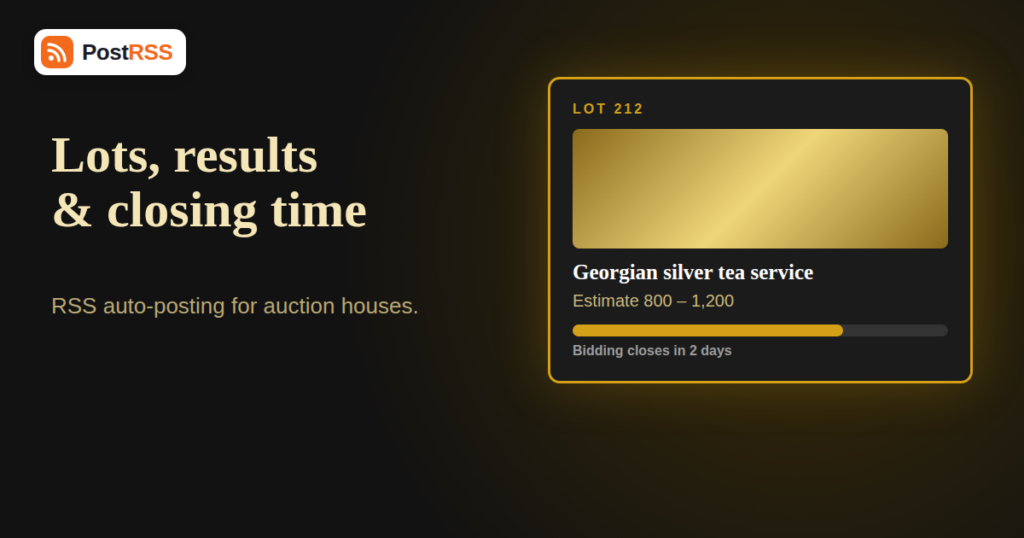
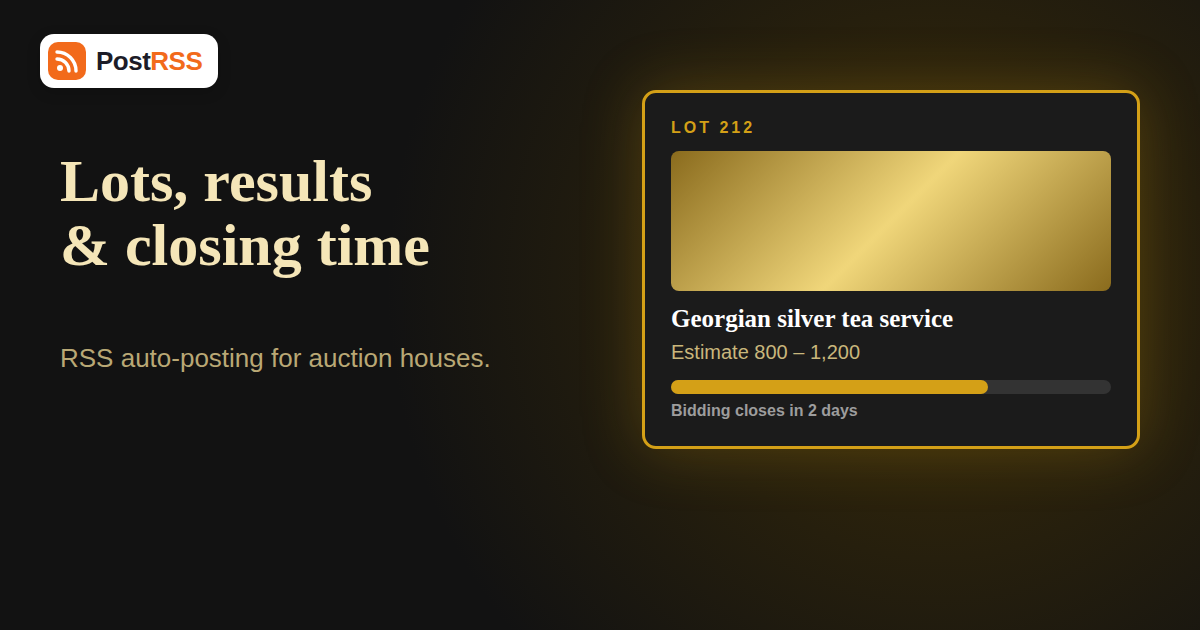
| Featured lots | “Lot 212: Georgian silver tea service” | Photo, estimate range, link | Daily or weekly |
| Preview and viewing days | “Viewing this weekend” | Reminder with address and hours | Per sale |
| Results | “Record price for a 1930s poster” | Celebrate a sale, link the story | After each sale |
| Consignment news | “We are collecting for our spring sale” | Call for entries | Monthly |
| Editorial and expert articles | “How to date a watch by its movement” | Educational post | Weekly |
The simplest way to produce these is a blog or news section on your website, with one category per feed. If your bidding platform generates feeds itself, use them, but read the feed carefully first; many platforms output every lot, which is far too much to post.
Auctions are risky ground for full automation because the facts change quickly. Keep these out of automatic feeds or treat them with great care.
Bidders are not evenly spread across networks. Older, higher-value buyers often use Facebook, younger collectors browse Pinterest and Instagram for visual inspiration, and niche communities gather in chat channels. Choose networks by where your actual customers are.
Every paid plan checks feeds every 5 minutes, except Enterprise, which checks every minute. For sales where a lot goes live at a precise time, the shorter interval on Enterprise (from $100 per month) can matter, but most houses are perfectly served by the standard interval. The supported networks page and the pricing page list all networks and limits.
A good lot title names the object, maker, period and one distinguishing fact: “George III silver teapot, London 1795, maker’s mark IK”. A vague title like “Silver item” wastes the post. Because the title is the first thing shown on every network, invest your cataloguers’ time here.
Include the estimate range in the excerpt: “Estimate 800-1,200”. Ranges age well, whereas current bid values do not. Confirm the currency and use the same format everywhere.
Each feed item should carry a featured image that works at a small size. Use a clean, cropped photograph on a neutral background, sized sensibly. Our article on image optimization for RSS auto-posting explains formats and file sizes, and what happens when an image URL breaks is worth reading before you archive old catalogues, because removing images after a sale leaves broken posts behind.
Lot pages often disappear after the sale. If your posts link to pages that are removed, followers hit dead ends for years. Keep permanent archive URLs for sold lots, or redirect them to a results page.
Notice that only the highlights repeat daily. Everything else is a single post per event. If your site publishes several items on the same day, read our guide to RSS auto-posting bursts so a catalogue launch does not become a flood.
A busy regional auction house might publish one catalogue announcement, ten featured lots, two viewing reminders, one article and one results post per sale, so about fifteen items. With two sales a month and three targets, that is around ninety posts, well inside every paid plan. The limit that matters more is per target: Start and Professional allow 500 and 2,000 posts per target each month, which is far above what a house needs. Annual billing is 20% cheaper on all paid plans.
Timed online sales and charity auctions have different rhythms from saleroom sales. An online-only sale might run for seven days with staggered closing times, so the natural posts are “opens today”, “closes tomorrow” and “results”. Because closing times matter, publish the reminder items in your site’s news section with the closing time written out in full, for example “Closes Thursday 19:00 GMT”, rather than relying on relative words like “tonight” that mean different things to readers in different countries.
Charity auctions add a story. Supporters respond to the cause more than to the objects, so give the feed items a human angle: who donated the item, what the money will fund, how much has been raised so far. Avoid running totals in automated posts, because they age in hours, but do celebrate the final total once the sale ends. A thank-you post to donors and bidders, published from a news item, does more for next year’s sale than any number of lot photos.
The people who know the objects are seldom the people who manage social media. Make the process easy for them. Give cataloguers a template with four fields: a descriptive title, a two-sentence summary, an estimate range and one hero image. When those fields exist in your CMS, the feed builds itself from them. Cataloguers do not need to think about social networks at all; they simply fill in the fields they already fill in. Review the first month of posts together, note which descriptions read well outside the saleroom and adjust the template accordingly.
It also helps to agree what counts as a highlight. A good rule is that a lot is featured when the house would be proud to see it on the front page of the catalogue: unusual provenance, exceptional condition or a strong estimate. Limit yourself to one or two highlights a day, since a steady drip works better than a wall of images.
Picture a regional house that holds a general sale and a specialist sale every month. Its website has three categories: “Catalogues”, “Featured lots” and “Results”, each with its own feed. The catalogue feed goes to a Facebook Page and a Telegram channel, the featured lots feed goes to a Pinterest board and the Facebook Page, and the results feed goes to the Facebook Page only. On the Professional plan ($10 per month) Pinterest and Facebook work; adding Telegram would need Ultimate ($40 per month), so the house starts without it and reviews after two sales. That progression, starting small and adding networks when results justify them, keeps costs proportionate to returns.
Before your first sale on a new feed, run it through the W3C Feed Validation Service, and if Facebook is a target, skim the Facebook Pages API documentation so you know what Page publishing permissions involve.
Social networks read the page’s Open Graph tags as well as the feed. Make sure lot pages declare a proper image, as explained in our article on Open Graph meta tags.
If you republish or re-import old sales, identifiers may change and items look new. Pause the feed before bulk changes.
A single failure should not stop everything else. Read what happens when a single auto-posted item fails for how retries and alerts work.
Yes. If your website or bidding platform produces a feed of catalogues, featured lots or results, PostRSS can watch it and publish each new item to your connected networks.
Usually not. A sale with hundreds of lots would flood your accounts. Create a separate feed for highlights and post only those.
It is not advisable. Bids change constantly, so a post shows a stale number within minutes. Use estimate ranges and link to the live lot page.
Facebook Pages and Pinterest boards work well for visual lots, and X, Telegram or Bluesky suit collector communities. Facebook Page is available on every plan, Pinterest from Professional and the others on Ultimate.
Instagram is currently in testing at PostRSS and is not part of any paid plan, so do not choose a plan because of it.
Feeds are checked every 5 minutes on all plans except Enterprise, which checks every minute. Posts appear shortly after the next check.
The social post remains until you delete it on the network. Correct or remove it manually and update your feed.
Auctions depend on timing, and feeds are a way of tying your marketing to your calendar. Automate the events that happen once and matter: catalogue launches, curated highlights, viewing days and results. Keep live prices, withdrawn lots and legal terms out of automation, write titles that sell the object, use estimate ranges and choose networks where your bidders are. A Facebook Page is the cheapest starting point, Pinterest adds visual reach from the Professional plan, and Ultimate covers the collector chat networks. Set up one feed, connect one network, run it through a full sale and improve from there. Start at PostRSS.
What changed in the networks, what broke, and how to fix it before it costs you reach.
 English
 Lietuviškai
 Deutsch
 Français
 Русский
 Español
 Polski
 Italiano
 Українська
 Čeština
 Português
 日本語
日本語 Latviešu valoda
 Eesti
Eesti Magyar
 Bahasa Indonesia
 Türkçe
 हिन्दी
 Ελληνικά
 العربية
 ไทย
ไทย Tiếng Việt
 Română
 Bahasa Melayu
 বাংলা
বাংলা