RSS σε 66 κοινωνικά δίκτυα: Facebook, Instagram, X, LinkedIn, Telegram και άλλα Blog Συνεργατικό Πρόγραμμα Επικοινωνία
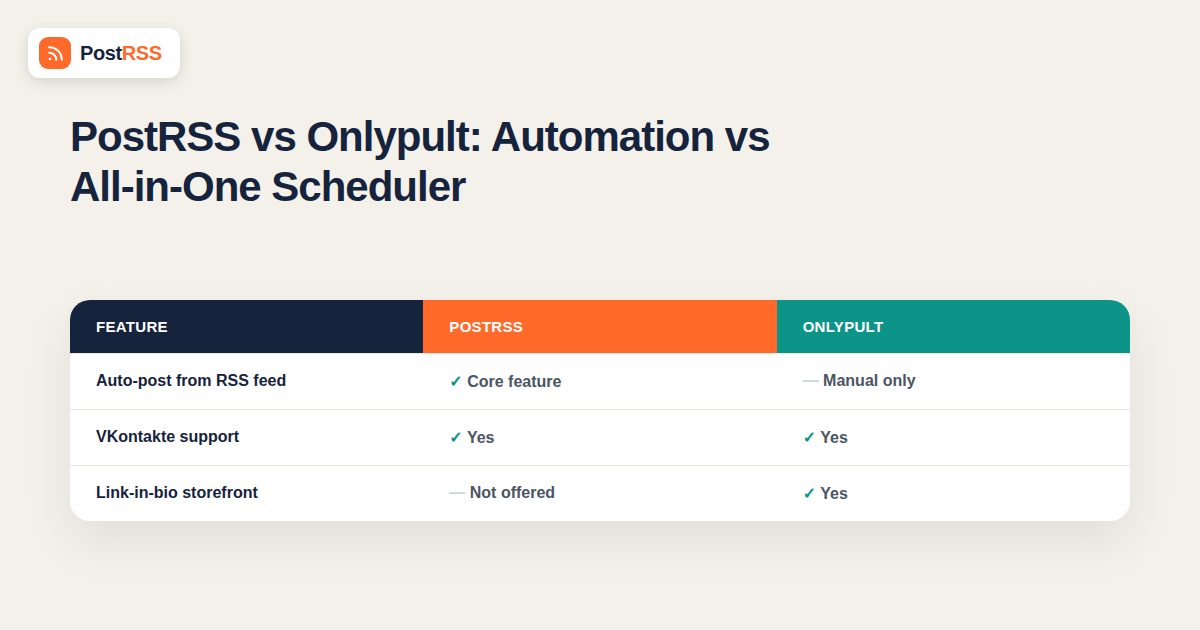
Onlypult and PostRSS both appear in searches for social media scheduling tools that support a wide range of platforms, including VKontakte — a rare feature most Western scheduling tools skip entirely. Beyond that overlap, though, the two tools are built for different workflows. Onlypult is a broad, manually driven scheduler covering everything from Instagram and TikTok to a “link in bio” storefront feature. PostRSS is a focused automation tool built around one job: taking content you’ve already published on your website and distributing it automatically, without anyone manually building a posting queue.
If you’re deciding between the two, the real question is whether you want a full-featured manual scheduling suite you actively operate, or a set-and-forget automation layer that runs on top of content you’re already publishing elsewhere. This guide breaks down what each tool actually does.
Onlypult is an all-in-one social media management platform supporting a wide range of networks — Instagram, TikTok, Facebook, X, LinkedIn, Pinterest, VKontakte, Telegram, and others — built around manual and semi-automated scheduling. Its feature set includes a visual content calendar, a “link in bio” mini-storefront, analytics and reporting, team collaboration tools, and the ability to schedule posts with media directly uploaded inside the app. It’s popular with social media managers and agencies juggling many client accounts across a broad platform list, particularly ones with a footprint in Russian-speaking markets where VKontakte support matters.
The core workflow assumes content is created and uploaded inside Onlypult itself, or imported manually, then scheduled from its calendar interface — a human is actively deciding what goes out and when, post by post, rather than the tool reacting automatically to a change somewhere else.
PostRSS skips the manual scheduling step entirely. It connects to the RSS feed your website, blog, or store already generates, and automatically turns each new item into a post on your connected accounts the moment it’s published — no upload, no calendar entry, no per-post scheduling decision. The source of truth is always your own website; PostRSS’s only job is getting that content distributed everywhere, automatically, once it exists.
| Feature | PostRSS | Onlypult |
|---|---|---|
| Core workflow | Auto-posts from your website’s RSS feed | Manually schedule posts from a visual calendar |
| Content source | Your existing blog, news, or product feed | Media uploaded or imported directly into the app |
| Set-and-forget automation | Yes — publishes automatically as new content appears | No — each post is scheduled deliberately |
| VKontakte support | Yes | Yes |
| Link-in-bio storefront | Not offered — distribution-focused, not a bio/link tool | Yes — a core feature |
| Team collaboration and approval workflows | Limited — built for lean, single-operator setups | Yes — built for agencies managing multiple client accounts |
| Best for | Publishers, e-commerce, and service businesses distributing existing content | Agencies and social media managers actively curating content across many accounts |
| Networks reachable from one feed | 66 networks incl. Fediverse, Asian and team-chat platforms | Varies by plan — check their current list |
Agencies managing a roster of client accounts, each with its own content calendar, visual planning needs, and approval workflow, get real value from Onlypult’s breadth — the link-in-bio feature, team permissions, and manual scheduling flexibility all matter when content is being actively created and curated rather than pulled automatically from an existing source. If your work is fundamentally about planning and designing what goes out post by post, a manual scheduler built for that job outperforms an automation tool that assumes the content already exists elsewhere.
If your business already publishes blog posts, product updates, or news on its own website, manually re-entering that same content into a separate scheduling calendar is duplicated work — the content exists, in finished form, and just needs to reach your social accounts. PostRSS removes that duplication entirely: publish once on your site, and the update reaches every connected platform without anyone opening a calendar, uploading media again, or scheduling a time slot. For any business whose content strategy already runs through its own website, that’s a meaningfully lighter operational load, especially at volume — ten blog posts a month become ten sets of social posts with zero additional manual work.
Both tools stand out from the broader scheduling market by supporting VKontakte, which most mainstream Western tools simply don’t. For a business marketing to a VK-audience — whether alongside Western platforms or as a primary channel — this shared capability narrows the real decision down to workflow rather than platform coverage: automated distribution from an existing feed (PostRSS) versus manual, curated scheduling with broader team and design tooling (Onlypult).
| Factor | Onlypult (Manual Scheduling) | PostRSS (RSS Automation) |
|---|---|---|
| Time per post | Several minutes to upload, write, and schedule | Zero — posted automatically from your feed |
| Best suited for | Original, platform-native content created specifically for social | Content already published on your website |
| Scales with volume how | Workload increases with every additional post | Effort stays flat regardless of publishing volume |
| Team/agency features | Strong — approvals, permissions, multi-client management | Lean — built for direct, single-operator or small-team use |
Some agencies do, splitting by client: clients with an active blog or content-publishing habit get set up on automatic RSS distribution, while clients whose social presence is built around original, platform-native content (visual campaigns, TikTok-first strategy) stay on a manual scheduler like Onlypult where that flexibility is actually needed. There’s no conflict in running both, since they solve different halves of a broader social media operation.
A useful way to think about the choice: Onlypult is built for a person (or team) whose job includes deciding what social content looks like — that’s real, ongoing work requiring a scheduler with planning and collaboration tools. PostRSS is built for a business where that decision has already been made by whoever writes the website content, and the remaining task is purely mechanical distribution. A solo business owner publishing their own blog posts rarely needs Onlypult’s team-approval workflow; a five-person agency managing fifteen client accounts with original content for each one rarely benefits from an automation tool that assumes a single content source per account.
An agency managing ten different clients, each wanting a distinct visual style and platform-native content, needs a tool built around active planning and approval — exactly Onlypult’s strength. Content differs client to client and rarely originates from a single automatic feed source.
A news site, blog, or content-heavy e-commerce store already produces a steady stream of finished articles or listings. Manually re-entering that same content into a scheduler duplicates work that’s already done. RSS automation via PostRSS removes that duplication and gets the same content distributed without a second content-entry step.
Some agency clients publish regular blog content and want it automatically distributed; others need bespoke, platform-native campaigns planned post by post. Running both tools side by side, matched to each client’s actual content model, is a common and reasonable setup rather than forcing every client through the same workflow.
Onlypult’s broader platform list and feature set — visual calendar, link-in-bio, analytics dashboards — reflect its positioning as a general-purpose social media management suite rather than a single-purpose tool. PostRSS deliberately stays narrower in scope: its feature set is built entirely around one workflow, feed-in to social-out, without the surrounding suite of planning and reporting tools a full agency platform typically bundles in. Neither approach is objectively better — a narrower tool is easier to learn and operate for its specific job, while a broader suite covers more ground for a team that genuinely needs all of it.
Getting a new client or account running on PostRSS typically takes under an hour: connect the feed, connect the social accounts, confirm the first post looks right, and it’s live. Onboarding a new client onto Onlypult involves more setup — building out the content calendar, establishing team permissions, and typically importing or planning initial content — which reflects the tool’s broader scope rather than being a shortcoming. The time investment simply tracks how much ongoing manual work each tool is designed to support.
Onlypult’s pricing generally scales with the number of connected social profiles and team seats, reflecting its agency-oriented feature set — check current tiers directly, since profile-based pricing can add up quickly for agencies managing many accounts. PostRSS’s pricing scales with the number of feeds and posting volume rather than profiles or seats, which tends to be more predictable for a business whose growth is measured in content published rather than client accounts managed.
No — PostRSS is focused specifically on distribution automation, not bio/link management. If a link-in-bio storefront is a core requirement, that’s a genuine point in Onlypult’s favor.
Onlypult is built primarily around manual and calendar-based scheduling rather than automatic feed-based distribution — check its current feature set directly if hands-off RSS automation specifically is the requirement, since that’s the core differentiator between the two tools.
Onlypult, generally — its team permissions, approval workflows, and manual scheduling flexibility are built for exactly that use case, where content differs per client and needs active curation rather than automatic distribution from a single source.
PostRSS, since the content already exists in finished form on the website and doesn’t need to be manually re-entered into a separate scheduling calendar.
Both support VK, which is uncommon among Western scheduling tools generally — check each provider’s current feature documentation for platform-specific details, since API capabilities and supported post types can differ even when a platform is nominally supported by both.
It depends on your usage pattern — a profile/seat-based pricing model (typical of agency-oriented tools like Onlypult) and a feed/volume-based model (typical of PostRSS) scale differently depending on how many accounts versus how much content volume you’re actually managing. Compare current pricing against your specific setup rather than assuming either model is cheaper in general.
Yes — reconnecting your social accounts to a new tool is generally a matter of re-authorizing access per platform, and the switch mainly requires having a source RSS feed in place if you don’t already publish content elsewhere that generates one.
Both platforms impose their own API restrictions on automated versus manually scheduled posting, and those restrictions apply regardless of which third-party tool is being used — check each provider’s current documentation for platform-specific posting requirements, since these details change periodically as Instagram and TikTok update their developer policies.
Most businesses in this situation use PostRSS for the automatic, feed-driven content and post manually or through a separate tool for anything that doesn’t originate from the website — there’s no technical conflict in an account receiving posts from more than one source, though it’s worth coordinating timing so posts don’t collide.
Onlypult and PostRSS solve different problems within the same broad “social media scheduling” category. Onlypult is a full-featured manual scheduler built for teams actively curating content across many accounts, with tools like link-in-bio and approval workflows that support that kind of active operation. PostRSS is a focused automation layer for businesses that already publish content on their own website and want it distributed everywhere without any manual scheduling step at all. The right choice comes down to whether social media is something your team actively plans post by post, or something that should simply follow automatically from what you’ve already published — and for many teams, the honest answer touches both.
What changed in the networks, what broke, and how to fix it before it costs you reach.
Από την Internet Solutions, την ομάδα πίσω από το PostRSS. Κάθε προϊόν σάς εξοικονομεί χρόνο με τον δικό του τρόπο.
 English
 Lietuviškai
 Deutsch
 Français
 Русский
 Español
 Polski
 Italiano
 Українська
 Čeština
 Português
 日本語
日本語 Latviešu valoda
 Eesti
Eesti Magyar
 Bahasa Indonesia
 Türkçe
 हिन्दी
 Ελληνικά
 العربية
 ไทย
ไทย Tiếng Việt
 Română
 Bahasa Melayu
 বাংলা
বাংলা