RSS σε 66 κοινωνικά δίκτυα: Facebook, Instagram, X, LinkedIn, Telegram και άλλα Blog Συνεργατικό Πρόγραμμα Επικοινωνία
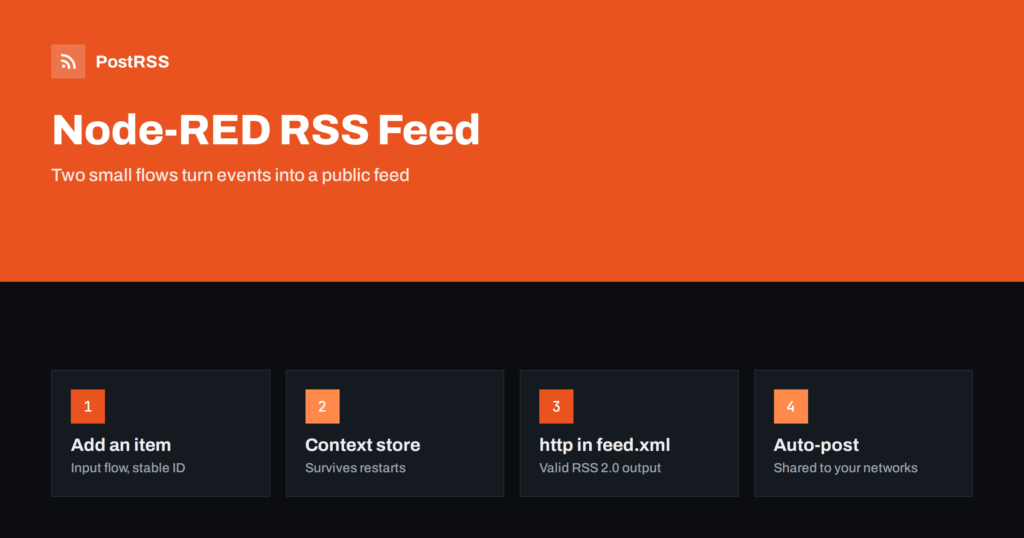
Short answer: To serve an RSS feed from Node-RED, store your items in global context, add an http in node for the path /feed.xml, pass the message to a function node that keeps only published items, escapes the text and builds RSS 2.0 XML with RFC 822 dates, and return it through an http response node with the content type application/rss+xml and a short cache header. A second flow adds new items from any source, such as MQTT, a form or a webhook. Expose only the feed path to the internet, test it with curl and a validator, and give the address to an auto-poster.
Node-RED is a visual tool for wiring together devices, services and APIs, and it is popular on home servers, in workshops and on small company networks. It reads feeds very well; a ready-made node turns any RSS address into messages. Creating a feed is less obvious, yet the same building blocks do it in a few minutes. Announcements from a build server, alerts from sensors, finished jobs from a 3D printer, new rows in a spreadsheet: all of them can become one public feed that readers and auto-posters understand. This guide builds a complete Node-RED RSS feed endpoint and explains how to keep it correct and safe.
A flow-based feed fits when content comes from systems rather than from a blog:
If your content already lives in a blog or a CMS, use the feed it provides; see how to find your WordPress feed link. If you only need to connect apps without creating a feed, see auto-posting through Zapier, n8n and Make.
| Flow | Nodes | Job |
|---|---|---|
| Add an item | Any input, a function node | Turns an incoming message into an item and stores it in global context |
| Serve the feed | http in, a function node, http response | Builds the XML from the stored items and returns it |
Keeping the two flows separate has a practical benefit: the feed flow is read-only and can be exposed to the internet, while the input flow can listen to private sources on your own network. The stored list is the only thing they share.
Node-RED keeps values in context storage. By default it lives in memory and disappears on restart, so for a feed you should enable a file-based store in settings.js:
contextStorage: {
    default: { module: "localfilesystem" }
},
Restart Node-RED after the change. From now on, values saved in global context survive restarts and updates. Keep only a limited number of recent items, for example the newest fifty, so the file stays small.
Connect any input to a function node with the following code. The input could be an MQTT node, an http in node that accepts a POST from your build server, a Telegram message or an inject node you press by hand for testing. The incoming payload should be an object with a title, a summary and a link path.
const list = global.get("feedItems") || [];

const item = {
    id: "item-" + Date.now(),                     // stable identifier, never changes
    title: String(msg.payload.title || "").trim(),
    summary: String(msg.payload.summary || "").trim(),
    path: String(msg.payload.path || "").trim(),  // for example /news/version-2-4/
    status: msg.payload.status || "published",
    publishedAt: msg.payload.publishedAt || new Date().toISOString()
};

if (!item.title || !item.path) {
    node.warn("Item skipped: title and path are required");
    return null;
}

list.unshift(item);
global.set("feedItems", list.slice(0, 50));
return msg;
The identifier is created once, at the moment of insertion, and stored with the item. Never create it while building the feed, because it would change on every request and every item would look new. A function node that returns null stops the flow, which is how invalid messages are dropped with a warning.
Add an http in node with the method GET and the URL /feed.xml. Wire it to a function node with the code below, and wire that to an http response node. The response node uses the status code, the headers and the payload of the message, so the function sets them.
const SITE_URL = env.get("SITE_URL") || "https://www.example.com";
const esc = (value) => String(value ?? "")
.replace(/&/g, "&")
.replace(/</g, "<")
.replace(/>/g, ">")
.replace(/"/g, """);
const now = new Date();
const items = (global.get("feedItems") || [])
.filter((i) => i.status === "published" && new Date(i.publishedAt) <= now)
.sort((a, b) => new Date(b.publishedAt) - new Date(a.publishedAt))
.slice(0, 20);
const body = items.map((i) => `
<item>
<title>${esc(i.title)}</title>
<link>${SITE_URL}${esc(i.path)}</link>
<guid isPermaLink="false">${esc(i.id)}</guid>
<pubDate>${new Date(i.publishedAt).toUTCString()}</pubDate>
<description>${esc(i.summary)}</description>
</item>`).join("");
const built = items.length ? new Date(items[0].publishedAt) : new Date(0);
msg.statusCode = 200;
msg.headers = {
"Content-Type": "application/rss+xml; charset=utf-8",
"Cache-Control": "public, max-age=300"
};
msg.payload = `<?xml version="1.0" encoding="UTF-8"?>
<rss version="2.0" xmlns:atom="http://www.w3.org/2005/Atom">
<channel>
<title>Example Workshop News</title>
<link>${SITE_URL}/news/</link>
<description>Updates from the workshop</description>
<language>en</language>
<lastBuildDate>${built.toUTCString()}</lastBuildDate>
<atom:link href="${SITE_URL}/feed.xml" rel="self" type="application/rss+xml"/>${body}
</channel>
</rss>`;
return msg;Three details matter. The escape helper replaces the ampersand first, otherwise the entities it creates would be escaped again. The date uses toUTCString(), which gives an English RFC 822 style value such as Sun, 18 Oct 2026 07:40:00 GMT whatever the server language. The GUID is marked with isPermaLink="false" because it is an identifier and not an address. The site address comes from an environment variable, which you set for the Node-RED process, so that no internal name ever appears in a link.
This is the part that deserves the most care. Node-RED can run code, so its editor must never be reachable from the public internet without protection. Set up authentication for the editor in settings.js and keep the editor on a private network. The http in nodes are served on a separate path, which you can restrict. The safest pattern is a reverse proxy in front of Node-RED that forwards only the single path /feed.xml to the flow and returns an error for everything else. Do the same for any http in node that accepts input: keep those on the private network or protect them with a secret that is checked in the first function node.
Because the feed is public by design, treat everything that enters an item as something the whole internet may read. If a message comes from a sensor or a chat, decide in the input flow which fields may be published and drop the rest.
The feed flow reads a small list from context and builds a short string, so each request is cheap. A short cache header still helps, because auto-posters and readers may poll often. A lifetime of a few minutes is a good balance. A long lifetime delays every share by the same amount, as explained in RSS feed caching explained. If the device that runs Node-RED is small, let the reverse proxy cache the answer, so most requests never reach the flow. A slow response can look like a timeout to an auto-poster; see RSS feed timeouts.
curl -i and check for the 200 status, the XML content type and the cache header. The method is explained in debugging an RSS feed with curl.If something looks wrong later, the checklist in RSS feed not updating helps you find the cause quickly. For a deeper look at what each element does, see RSS feed XML anatomy.
PostRSS has been publishing RSS and Atom feeds to social networks since 2014. Paste the address of your feed.xml endpoint, connect your accounts and choose how each post is built from the title, the description or the page title. PostRSS checks the feed as often as every minute and shares each new item, with its image and link, to the channels you choose among 66 supported networks, messengers, team chats and blogs, including LinkedIn, X, Bluesky, Mastodon and Telegram. Keyword filters, UTM parameters and posting windows let you tune each channel, and webhooks connect PostRSS to your own systems. See the PostRSS features page and the plan limits on the pricing page. More developer guides are under the Technical Guide tag.
Node-RED can publish a dependable RSS feed with two small flows. Store items with a stable identifier in a persistent context, keep only published items dated in the past, escape every value, format dates in English UTC, build links from a configured site address and return the XML with the right content type and a short cache header. Expose only the feed path, never the editor, test the result with curl and a validator and connect the address to an auto-poster. After that, every event your flows collect can reach your social channels automatically.
The common feed node reads feeds and turns them into messages. To publish one, you build the XML yourself in a function node, as shown in this guide, and return it through an http response node.
Global context with a file-based store is enough for a small feed of up to a few dozen recent items. For larger archives, store the items in a database and query the newest twenty in the feed flow.
Only if the editor is protected and not reachable by strangers. The safest approach is to keep Node-RED on a private network and let a reverse proxy forward only the feed path.
Yes, for public, non-sensitive updates such as project milestones or weather summaries. Publish only the fields you chose, and never include device names, addresses or credentials.
Create a stable identifier once when the item is added and use it as the GUID. Avoid editing the publication date of items that are already public, because some tools treat a changed date as a new item.
Yes. PostRSS reads any valid RSS or Atom address that is reachable without a login. Paste the address, connect your channels and new items are shared as soon as they appear.
What changed in the networks, what broke, and how to fix it before it costs you reach.
Από την Internet Solutions, την ομάδα πίσω από το PostRSS. Κάθε προϊόν σάς εξοικονομεί χρόνο με τον δικό του τρόπο.
 English
 Lietuviškai
 Deutsch
 Français
 Русский
 Español
 Polski
 Italiano
 Українська
 Čeština
 Português
 日本語
日本語 Latviešu valoda
 Eesti
Eesti Magyar
 Bahasa Indonesia
 Türkçe
 हिन्दी
 Ελληνικά
 العربية
 ไทย
ไทย Tiếng Việt
 Română
 Bahasa Melayu
 বাংলা
বাংলা