RSS σε 66 κοινωνικά δίκτυα: Facebook, Instagram, X, LinkedIn, Telegram και άλλα Blog Συνεργατικό Πρόγραμμα Επικοινωνία
Short answer: A feed service fits well in a small Docker container. Write a tiny program that reads your items and returns RSS with the right headers, build an image on a slim base, run it as a normal user with a read-only file system, describe it in a compose file with a health check and a restart policy, keep data and secrets outside the image and put a reverse proxy with HTTPS in front. Test the live address from outside, then paste it into an auto-poster so that each new item is shared on your social channels.
Feeds are a good first job for containers. The program is small, it needs few resources, it has one public address and it should keep running without attention. The problems appear in the details: a container that is restarted and loses its data, a health check that says everything is fine while the feed is empty, an image that runs as the administrator, a clock set to the wrong time zone that moves every date by hours. This guide builds a minimal feed service step by step, with a program, a Dockerfile and a compose file, and explains the choices so that you can adapt them to your own language and data. Version numbers and base image names change over time, so check them before you copy.
Decide three things first. Where do the items come from? In the example they come from a JSON file that another process updates, but they could come from a database or an API. Who may see the feed? It should be public, but the data source usually is not. How will you update it? A volume that holds the file lets you change content without rebuilding the image, and it survives restarts.
| Concern | Choice in this guide | Why |
|---|---|---|
| Language | Python standard library only | No dependencies to update |
| Data | A JSON file on a volume | Easy to replace and back up |
| Public access | Reverse proxy with HTTPS | The container itself stays private |
| Health | A separate health address | Orchestrators can restart a broken service |
The service reads the file on every request, builds the XML, sets the content type and a validator and answers with 304 when the client already has the current version. It also offers a health address that returns an error when the file is missing or invalid.
# app.py
import json, os, hashlib
from datetime import datetime, timezone
from email.utils import format_datetime
from http.server import BaseHTTPRequestHandler, ThreadingHTTPServer
from xml.sax.saxutils import escape

SITE = os.environ.get("SITE_URL", "https://example.com")
DATA = os.environ.get("ITEMS_FILE", "/data/items.json")

def load():
    with open(DATA, encoding="utf-8") as f:
        items = json.load(f)
    for i in items:
        i["dt"] = datetime.fromisoformat(i["published"]).astimezone(timezone.utc)
    return sorted(items, key=lambda i: i["dt"], reverse=True)[:20]

def render(items):
    newest = items[0]["dt"] if items else datetime.fromtimestamp(0, timezone.utc)
    rows = []
    for i in items:
        url = SITE + "/" + i["slug"] + "/"
        rows.append(
            "<item><title>%s</title><link>%s</link>"
            "<guid isPermaLink=\"true\">%s</guid><pubDate>%s</pubDate>"
            "<description>%s</description></item>"
            % (escape(i["title"]), escape(url), escape(url),
               format_datetime(i["dt"], usegmt=True), escape(i["summary"]))
        )
    return (
        '<?xml version="1.0" encoding="UTF-8"?>'
        '<rss version="2.0"><channel>'
        "<title>Example Journal</title><link>%s</link>"
        "<description>News and guides from Example Journal.</description>"
        "<lastBuildDate>%s</lastBuildDate>%s</channel></rss>"
        % (escape(SITE), format_datetime(newest, usegmt=True), "".join(rows))
    ).encode("utf-8")

class Handler(BaseHTTPRequestHandler):
    def do_GET(self):
        try:
            if self.path == "/healthz":
                load()
                return self.reply(200, b"ok", "text/plain")
            if self.path == "/feed.xml":
                body = render(load())
                etag = '"' + hashlib.sha1(body).hexdigest() + '"'
                if self.headers.get("If-None-Match") == etag:
                    self.send_response(304)
                    self.send_header("ETag", etag)
                    self.end_headers()
                    return
                return self.reply(200, body, "application/rss+xml; charset=utf-8", etag)
            self.reply(404, b"not found", "text/plain")
        except Exception:
            self.reply(503, b"unavailable", "text/plain")

    def reply(self, code, body, ctype, etag=None):
        self.send_response(code)
        self.send_header("Content-Type", ctype)
        self.send_header("Content-Length", str(len(body)))
        if etag:
            self.send_header("ETag", etag)
            self.send_header("Cache-Control", "public, max-age=300")
        self.end_headers()
        self.wfile.write(body)

ThreadingHTTPServer(("0.0.0.0", 8080), Handler).serve_forever()
Dates in the file should carry a time zone, for example 2026-11-04T09:00:00+02:00, so that the conversion to GMT is exact. The feed uses the published date of each item and not the time of the request, which keeps the document identical when nothing changed. Escaping uses a library function, so a title with an ampersand cannot break the XML. The meaning of the error status is useful: if the file is missing, the service answers 503 and not an empty valid feed that an auto-poster might read as no news.
FROM python:3.12-slim

RUN useradd --system --no-create-home feed
WORKDIR /app
COPY app.py .

ENV PYTHONUNBUFFERED=1 TZ=UTC
USER feed
EXPOSE 8080
CMD ["python", "app.py"]
Use a slim base image and pin a version, so that a rebuild next year does not change the behaviour. Create a normal user and switch to it before the program starts, because a container that runs as the administrator turns any bug into a bigger problem. Set the time zone to UTC so that logs and dates agree. Do not copy data or secrets into the image, because anyone who has the image can read them.
services:
  feed:
    build: .
    image: example/feed-service:1
    container_name: feed-service
    restart: unless-stopped
    read_only: true
    environment:
      SITE_URL: "https://example.com"
      ITEMS_FILE: "/data/items.json"
    volumes:
      - ./data:/data:ro
    ports:
      - "127.0.0.1:8080:8080"
    healthcheck:
      test: ["CMD", "python", "-c", "import urllib.request as u; u.urlopen('http://127.0.0.1:8080/healthz', timeout=3)"]
      interval: 30s
      timeout: 5s
      retries: 3
    mem_limit: 128m
The data folder is mounted read-only, so the service can read the items but never change them. The file system of the container is read-only too, which stops a compromised process from writing anywhere. The port is bound to the local address, and the reverse proxy is the only door from the internet. The health check calls the health address, and a failure after three tries marks the container unhealthy, which many tools use to restart it. The restart policy brings the service back after a reboot of the host. Set a memory limit so that a runaway process cannot take the whole machine.
Containers use the clock of the host, but they have their own idea of the time zone, and a missing setting leads to dates that are off by hours. The feed in this guide avoids the problem by converting every date to UTC before it writes it, and by reading dates that carry an offset. Keep that habit in any language. Never write local times without an offset into a feed, and do not use the current time as the date of an item. If a scheduled item is meant to appear at a certain moment, compare its date with the current time in UTC and leave it out until the moment passes. See time zones and daylight saving in auto-posting for the effect of clock changes.
The example reads the file on every request, which is fine for a small file and a modest number of readers. If the data comes from a database or a remote API, store the rendered document in memory for a few minutes and refresh it in the background, and serve the old copy when the refresh fails. Let the reverse proxy cache the answer as well, so that a burst of polling tools causes one request to the container. If you ever need several copies of the service, keep the logic stateless, so that any copy can answer any request with the same document. A feed that differs between copies makes validators change back and forth and defeats conditional requests.
Let a web server such as Nginx or Caddy terminate HTTPS, redirect HTTP to HTTPS and forward the feed address to the container. Give the feed its own location, keep its cache lifetime short and exempt it from rate limits and bot rules that could block auto-posters. The content type is already set by the service, so the proxy should pass it through unchanged. For more on headers, see the guide to the content type header και the guide to compression.
The easiest way to update the feed is to replace the file on the host, for example from a deployment script or a job that exports your database. Write the new file under a temporary name and rename it, so that the service never reads half of it. Keep the published date and the slug of each item fixed after the first release. If a script rebuilds the whole file from a source that regenerates dates, every item looks new, and an auto-poster will share the whole archive again. The causes of repeated posts are explained in why a feed auto-posts the same article twice.
Write logs to the standard output and let the container runtime collect them, with a size limit so that they cannot fill the disk. Back up the data folder together with the compose file, because those two are all you need to rebuild the service. Rebuild the image regularly to pick up fixes in the base image, and test the feed after each rebuild with the commands below. If you run several services on one host, give each its own network and avoid publishing ports that do not need to be public.
docker compose up -d --build
docker compose ps
curl -i http://127.0.0.1:8080/feed.xml
curl -i https://example.com/feed.xml
curl -i -H 'If-None-Match: "paste-the-etag-here"' https://example.com/feed.xmlA longer routine is in the feed validation guide, and a shorter one in debugging a feed with curl.
PostRSS has been publishing RSS and Atom feeds to social networks since 2014. Paste the address of your feed, connect your accounts and choose how each post is built from the title, the description or the page title. PostRSS checks the feed as often as every minute and shares each new entry, with its image and link, to the channels you choose among 66 supported networks, messengers, team chats and blogs, including LinkedIn, X, Bluesky, Mastodon and Telegram. Keyword filters, UTM parameters and posting windows let you tune each channel. See the PostRSS features page and the plan limits on the pricing page. More developer guides are under the Technical Guide tag.
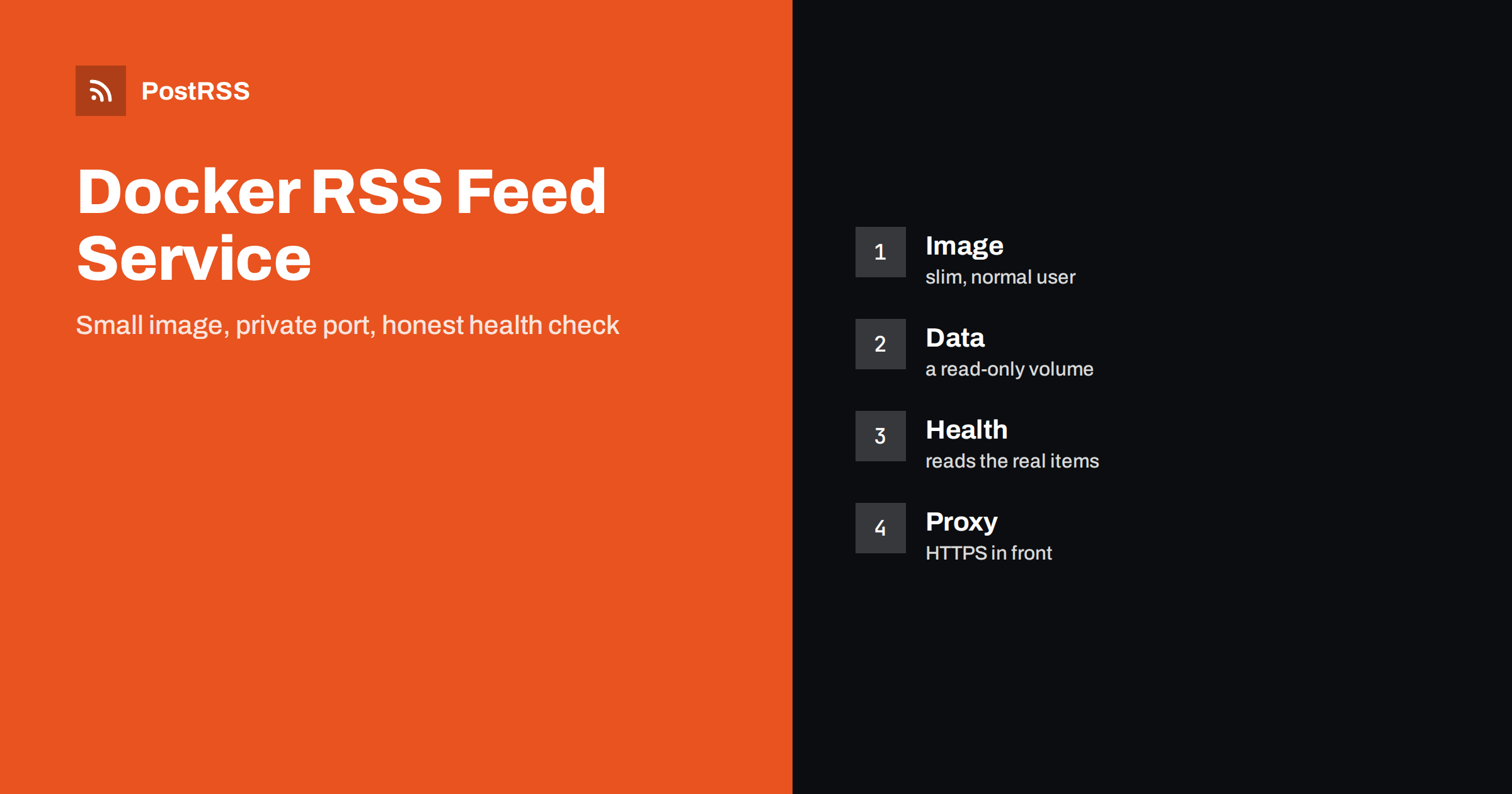
A feed service is a small program with strict habits. Read items from a volume, use stable published dates, escape the text, send the right headers, run as a normal user with a read-only file system, add a health check that reads the real data, keep the port private behind a proxy with HTTPS and test the public address from outside. When the address is stable, connect it to an auto-poster, and every item you add reaches your social channels without extra work.
A container gives you a repeatable setup, easy restarts and a clear place for data and settings, which suits a small service that must run without attention.
On a volume outside the image, mounted read-only into the container, so that you can update content without a rebuild and keep backups simple.
It should read the real data and fail when the file is missing or invalid, so that the container is marked unhealthy and not silently serving an empty feed.
No. Bind it to the local address and let a reverse proxy handle HTTPS, caching and exceptions for polling tools.
Yes. PostRSS reads any valid RSS or Atom address that is reachable without a login. Paste the address, connect your channels and new items are shared as soon as they appear.
What changed in the networks, what broke, and how to fix it before it costs you reach.
Από την Internet Solutions, την ομάδα πίσω από το PostRSS. Κάθε προϊόν σάς εξοικονομεί χρόνο με τον δικό του τρόπο.
 English
 Lietuviškai
 Deutsch
 Français
 Русский
 Español
 Polski
 Italiano
 Українська
 Čeština
 Português
 日本語
 Latviešu valoda
 Eesti
 Magyar
 Bahasa Indonesia
 Türkçe
 हिन्दी
 Ελληνικά
 العربية
 ไทย
 Tiếng Việt
 Română
 Bahasa Melayu
 বাংলা